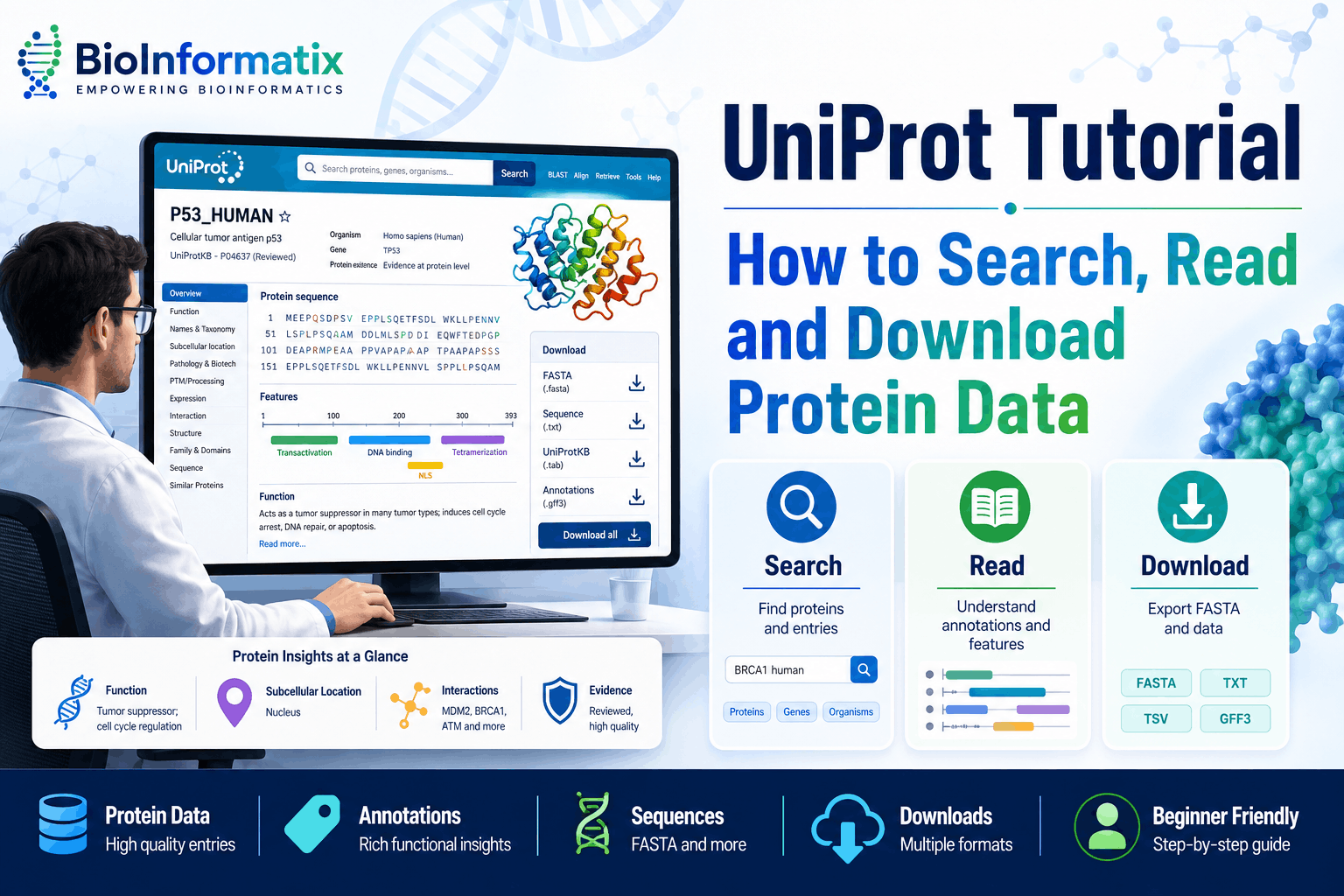
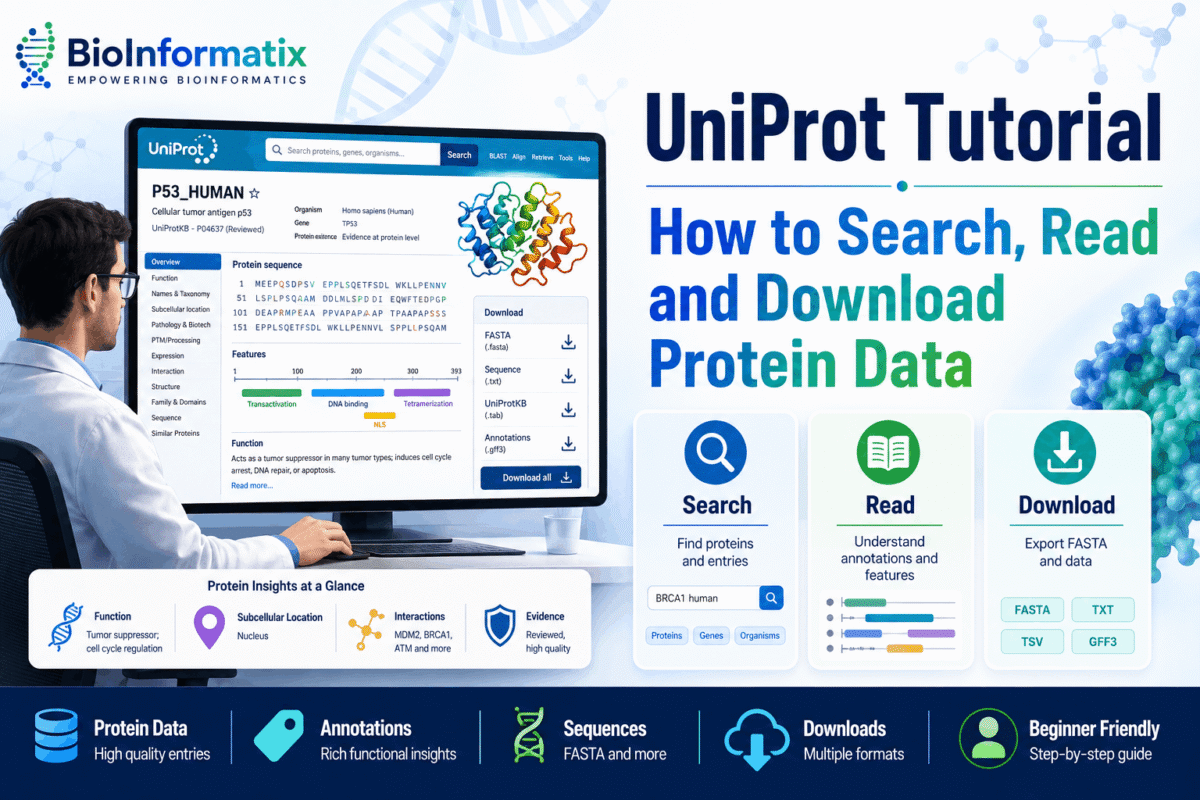
UniProt tutorial searches are common among students and researchers who need reliable information about protein sequences, functions, structures, domains, pathways, variants, and post-translational modifications. UniProt provides a comprehensive and freely accessible collection of protein sequence and functional information used throughout bioinformatics, molecular biology, genomics, proteomics, and drug discovery. (UniProt)
Although UniProt is easy to access, a protein entry can initially appear complicated. It may contain accession numbers, protein names, gene information, functional annotations, isoforms, domains, structural cross-references, sequence features, variants, and evidence statements.
This beginner-friendly guide explains what UniProt is, how its main resources differ, how to search for a protein, how to interpret a UniProtKB entry, and how to download protein sequences for further analysis.
Students who are new to biological databases should also read our guides on what NCBI is and how to search and download sequences from GenBank.
What Is UniProt?
UniProt, short for the Universal Protein Resource, is a major biological resource for protein sequence and functional information.
It is produced by the UniProt Consortium, whose host institutions include:
- European Bioinformatics Institute, or EMBL-EBI
- Swiss Institute of Bioinformatics, or SIB
- Protein Information Resource, or PIR
The consortium develops, curates, maintains, and preserves UniProt databases for the scientific community. (UniProt)
Researchers use UniProt to investigate:
- Protein sequences
- Protein names and functions
- Gene-protein relationships
- Catalytic activities
- Biological pathways
- Subcellular locations
- Protein domains
- Protein families
- Post-translational modifications
- Sequence variants
- Protein isoforms
- Disease associations
- Protein structures
- Protein-protein interactions
- Cross-references to other databases
UniProt is particularly valuable because it brings information from many biological resources together on a single protein entry page.
Why Is UniProt Important in Bioinformatics?
A protein sequence alone does not explain what the protein does.
Researchers must often determine:
- Which gene encodes the protein
- Which organism produces it
- Whether the protein has experimental support
- Where it is located in the cell
- Which biological process it participates in
- Whether it functions as an enzyme
- Which domains and active sites it contains
- Whether alternative isoforms exist
- Whether mutations are associated with disease
- Whether an experimental or predicted structure is available
UniProtKB integrates protein sequences with functional annotations, taxonomic information, publications, sequence features, and database cross-references. This makes it a central starting point for protein-focused bioinformatics research. (UniProt)
For a broader introduction to the field, read What Is Bioinformatics? A Complete Beginner’s Guide.
Main UniProt Resources
UniProt is not a single database. It includes several connected resources designed for different purposes.
| Resource | Main purpose |
|---|---|
| UniProtKB | Protein sequences and functional annotations |
| UniRef | Protein sequence clusters that reduce redundancy |
| UniParc | Archive of unique protein sequences |
| Proteomes | Protein sets associated with sequenced genomes |
Understanding these resources will help you select the correct dataset for your research.
What Is UniProtKB?
The UniProt Knowledgebase, commonly written as UniProtKB, is the central UniProt resource for protein sequence and functional information.
A UniProtKB entry normally includes core information such as:
- Amino acid sequence
- Protein name or description
- Organism
- Taxonomic classification
- Gene information
- Publications
- Functional annotations
- Sequence features
- External database links
UniProtKB contains both manually reviewed records and computationally annotated records. (UniProt)
UniProtKB/Swiss-Prot vs UniProtKB/TrEMBL
UniProtKB is divided into two major sections:
- UniProtKB/Swiss-Prot, the reviewed section
- UniProtKB/TrEMBL, the unreviewed section
UniProtKB/Swiss-Prot
Swiss-Prot entries are manually reviewed and annotated by expert curators.
Curators evaluate information from:
- Scientific literature
- Experimental studies
- Sequence analysis
- Related proteins
- Specialized biological databases
Swiss-Prot aims to provide high-quality, consistent, and minimally redundant protein records.
UniProtKB/TrEMBL
TrEMBL contains protein records that have not yet undergone complete manual review.
These entries are mainly enriched through computational annotation systems and automated classification methods. TrEMBL enables UniProt to process the enormous volume of protein sequences generated by genome-sequencing projects. (UniProt)
Reviewed vs Unreviewed Does Not Mean Correct vs Incorrect
A reviewed entry has been examined and annotated by UniProt curators. An unreviewed entry is primarily computationally annotated.
However, this does not mean that every reviewed annotation has direct experimental confirmation or that every unreviewed record is unreliable. Always examine:
- Annotation evidence
- Protein existence level
- Supporting publications
- Sequence source
- Organism
- Cross-references
- Experimental information
For well-studied proteins, a reviewed Swiss-Prot entry is generally a suitable starting point.
What Is UniRef?
UniRef, or UniProt Reference Clusters, groups related protein sequences to reduce redundancy and improve sequence-searching efficiency.
The three principal clustering levels are:
- UniRef100
- UniRef90
- UniRef50
UniRef100 groups identical sequences and certain subfragments. UniRef90 and UniRef50 cluster sequences at progressively lower sequence-identity thresholds, with overlap requirements used during clustering. (UniProt)
UniRef is useful for:
- Protein sequence similarity searching
- Metagenomic analysis
- Functional annotation
- Protein-family analysis
- Machine-learning datasets
- Reducing database redundancy
Use UniProtKB when you need detailed information about a specific protein. Use UniRef when you need clustered sequence sets for large-scale analysis.
What Is UniParc?
UniParc, or the UniProt Archive, is a comprehensive archive of unique protein sequences collected from public sequence databases.
Each unique sequence receives a stable UniParc identifier beginning with UPI. A UniParc sequence identifier is not reassigned to a different sequence. UniParc focuses primarily on sequence history and database cross-references rather than detailed functional annotation. (UniProt)
UniParc is useful when:
- A UniProtKB record has become obsolete
- You need to trace a protein sequence across databases
- You want to examine sequence history
- You have a sequence that is not currently represented in UniProtKB
- You need a non-redundant protein sequence archive
What Are UniProt Proteomes?
The UniProt Proteomes resource provides sets of protein sequences derived from completely sequenced genomes.
A proteome generally represents the proteins predicted or annotated from an organism’s genome. UniProt also identifies reference proteomes, which provide selected representative protein sets for organisms of scientific or biomedical importance. (UniProt)
Proteomes are useful for:
- Comparative genomics
- Proteome-wide analysis
- Orthology studies
- Protein-family identification
- Evolutionary analysis
- Functional annotation
- Machine learning
- Building local protein databases
How to Search UniProt: Step-by-Step Tutorial
The following workflow can be used to find a protein in UniProtKB.
Step 1: Open UniProt
Visit the official UniProt website and keep UniProtKB selected as the search dataset.
UniProtKB is normally the most appropriate starting point when searching for a protein’s sequence and function.
Step 2: Enter the Protein or Gene Name
Suppose you want to find human tumor protein p53.
A basic search could be:
TP53 human
You could also search using:
tumor protein p53 Homo sapiens
However, simple text searches may return proteins from multiple organisms or records containing the search terms in different fields.
Step 3: Use a Field-Based Search
A more precise query is:
gene:TP53 AND organism_id:9606
Here:
gene:TP53restricts the search to the TP53 geneorganism_id:9606restricts the results to humans
To retrieve reviewed entries only, use:
gene:TP53 AND organism_id:9606 AND reviewed:true
UniProt supports field-specific searches for information such as accession number, gene, organism, proteome, sequence status, and annotation. Its Advanced Search interface can also build queries without requiring users to memorize the syntax. (UniProt)
Step 4: Apply Search Filters
The filter panel can narrow results by:
- Reviewed or unreviewed status
- Organism
- Taxonomic group
- Protein existence
- Sequence length
- Annotation score
- Proteome
- Other available fields
UniProt specifically supports filtering search results by reviewed status and organism. (UniProt)
Step 5: Select the Correct Entry
Before opening an entry, inspect:
- Accession number
- Entry name
- Protein name
- Gene name
- Organism
- Reviewed status
- Protein length
Do not select a record based only on the protein name. Similar protein names may occur in multiple organisms, paralogs, fragments, predicted proteins, or isoforms.
UniProt Accession Number vs Entry Name
Every UniProtKB entry has an accession number and an entry name, but they serve different purposes.
UniProt Accession Number
An accession number is the stable identifier assigned to a UniProtKB entry.
Example:
P04637
A UniProtKB entry can contain:
- One primary accession number
- One or more secondary accession numbers
The primary accession should be used when citing or linking to the entry.
UniProt Entry Name
An entry name is a mnemonic identifier.
For example:
P53_HUMAN
The entry name often combines information about the protein and organism, but it may change when the record is renamed, reorganized, or promoted from TrEMBL to Swiss-Prot.
Accession numbers are more stable than entry names and are therefore preferred for citations, scripts, datasets, and reproducible analyses. (UniProt)
How to Read a UniProtKB Entry
A UniProtKB entry is divided into sections. The exact content depends on how much information is available for the protein.
Protein and Gene Names
The top of the entry displays identifying information such as:
- Recommended protein name
- Alternative names
- Short names
- Enzyme names
- Gene name
- Gene synonyms
- Organism
- Taxonomic identifier
Check the gene and organism carefully before using the sequence.
A protein may have several historical or alternative names, while the same gene symbol may occasionally be used differently across organisms.
Entry Status
The entry status identifies whether the record belongs to:
- Reviewed UniProtKB/Swiss-Prot
- Unreviewed UniProtKB/TrEMBL
This is one of the first fields you should inspect when evaluating a protein record. (UniProt)
Annotation Score
UniProt may display an annotation score using a five-point scale.
The score provides a quick indication of how much annotation content is available. It should not be interpreted as a direct measurement of biological accuracy or experimental validation.
A high score generally means that more annotation categories are populated. A low score may indicate that limited information is currently available.
Protein Existence
The protein-existence field summarizes the evidence supporting the existence of the protein.
UniProtKB uses five protein-existence categories:
- Evidence at protein level
- Evidence at transcript level
- Inferred from homology
- Predicted
- Uncertain
This field is assigned based on the evidence available within the entry. (UniProt)
Protein-existence evidence is particularly important when working with computationally predicted proteins.
Function
The Function section may describe:
- Biological role
- Molecular activity
- Enzyme function
- Catalytic reaction
- Cofactors
- Pathways
- Regulation
- Protein interactions
For enzymes, examine:
- Catalytic activity
- Enzyme Commission number
- Substrates
- Products
- Cofactors
- Active sites
Always check the evidence attached to a functional statement. An annotation may be supported by direct experiments, sequence similarity, computational prediction, or information transferred from another record.
Subcellular Location
This section describes where the protein is located within a cell or organism.
Examples include:
- Nucleus
- Cytoplasm
- Mitochondrion
- Cell membrane
- Extracellular space
- Endoplasmic reticulum
- Chloroplast
Some proteins move between cellular compartments or have different locations under different biological conditions.
Pathology and Biotechnology
Depending on the protein, this section may contain information about:
- Disease associations
- Natural variants
- Biotechnological applications
- Allergens
- Pharmaceutical relevance
- Toxic effects
Disease-related statements should be interpreted together with supporting publications and specialist clinical databases.
Post-Translational Modifications
Proteins may be modified after translation.
UniProt can annotate modifications such as:
- Phosphorylation
- Glycosylation
- Acetylation
- Ubiquitination
- Methylation
- Lipidation
- Disulfide bonds
- Proteolytic cleavage
The feature viewer maps many of these modifications onto the protein sequence. UniProt may also show modified peptides obtained from large-scale proteomics datasets. (UniProt)
Protein Domains and Regions
The Family and Domains sections may include:
- Protein families
- Conserved domains
- Repeated regions
- Coiled-coil regions
- Zinc fingers
- DNA-binding domains
- Transmembrane regions
- Signal peptides
- Low-complexity regions
These annotations help researchers understand how different regions contribute to protein function.
Sequence Features
The sequence-feature viewer can display:
- Active sites
- Binding sites
- Domains
- Motifs
- Signal peptides
- Transmembrane helices
- Disulfide bonds
- Modified residues
- Natural variants
- Mutagenesis sites
- Secondary-structure elements
Feature positions are mapped directly to the protein sequence.
Before using coordinates, confirm that you are working with the correct canonical sequence or isoform.
Canonical Sequence and Isoforms
A UniProtKB entry normally displays a representative canonical protein sequence.
Some genes produce several protein isoforms through processes such as:
- Alternative splicing
- Alternative promoter use
- Alternative translation initiation
- Ribosomal frameshifting
The Sequence and Isoform section provides the canonical sequence and any documented alternative isoforms. It also includes properties such as sequence length and molecular weight. (EMBL-EBI)
Do not assume that the canonical sequence is always the biologically relevant isoform for your experiment. Check the tissue, disease, publication, and experimental context.
Structure Information
UniProt entries can link proteins to structural resources and display available structural information.
Depending on the protein, you may find links to:
- Experimentally determined structures
- Predicted structures
- Protein domains
- Structure-model resources
- Binding sites
- Secondary-structure annotations
For hands-on training in protein sequence analysis, structure prediction, protein modeling, and proteomics, explore our Protein Bioinformatics Masterclass.
Gene Ontology Annotations
UniProt entries may include Gene Ontology annotations in three categories:
- Molecular function
- Biological process
- Cellular component
These annotations are useful for:
- Functional enrichment analysis
- Gene-set interpretation
- Pathway analysis
- Protein classification
- Omics-data analysis
Always examine the evidence supporting a Gene Ontology annotation, especially when distinguishing experimentally supported annotations from computational predictions.
Publications and Evidence
UniProtKB attempts to connect protein annotations with relevant scientific literature.
The Publications section may include studies related to:
- Protein function
- Expression
- Sequence
- Structure
- Interactions
- Post-translational modifications
- Disease associations
- Mutagenesis
Evidence labels help users determine whether information comes from experiments, computational analysis, another database, or annotation transfer. (UniProt)
Cross-References
UniProt connects protein entries to many external biological resources.
Cross-references may include:
- NCBI Gene
- RefSeq
- Ensembl
- PDB
- AlphaFoldDB
- InterPro
- Pfam
- PROSITE
- Gene Ontology
- Reactome
- STRING
- organism-specific databases
These links allow researchers to move from a protein sequence to genomic, structural, pathway, domain, interaction, and disease information.
For nucleotide and gene resources, see our GenBank Complete Guide and complete guide to NCBI.
How to Download a Protein Sequence from UniProt
After locating the correct entry, you can download its sequence and annotations.
Download a Single Protein
- Open the UniProtKB entry.
- Select the Download option.
- Choose the required format.
- Choose whether you need the canonical sequence or isoforms.
- Download or copy the result.
Download Multiple Proteins
From a search-results page:
- Apply the required filters.
- Select specific entries or choose all results.
- Select Download.
- Choose the fields and format.
- Export the data.
UniProt allows small datasets to be downloaded through its website, while complete datasets are available through its download infrastructure. UniProt releases are generally published every two to three months. (UniProt)
UniProt Download Formats
FASTA
FASTA contains a header followed by the amino acid sequence.
Example:
>sp|P04637|P53_HUMAN Cellular tumor antigen p53 OS=Homo sapiens
MEEPQSDPSVEPPLSQETFSDLWKLLPENNVLSPLPSQAMDDLMLSPDDIEQWFT
FASTA is suitable for:
- BLAST
- Multiple sequence alignment
- Phylogenetic analysis
- Structure prediction
- Domain analysis
- Molecular modeling
- Building local databases
UniProt FASTA headers contain structured identifiers, including the database section, primary accession, entry name, protein description, organism, and often gene information. (UniProt)
Text or Flat File
The UniProt text format contains the sequence together with detailed annotations.
Use it when you need a human-readable record containing:
- Names
- Function
- Features
- Publications
- Cross-references
- Sequence
TSV
Tab-separated values are useful for spreadsheets, R, Python, and command-line processing.
You can customize exported columns such as:
- Accession
- Entry name
- Protein name
- Gene name
- Organism
- Sequence length
- Function
- Protein existence
- Gene Ontology terms
Excel
Excel format is convenient for smaller datasets that will be manually reviewed or shared.
JSON and XML
JSON and XML are useful for:
- Software development
- Automated pipelines
- Database integration
- Web applications
- Structured data processing
GFF
GFF can represent sequence features and their positions.
UniProt’s programmatic services support formats including FASTA, TSV, JSON, XML, text, GFF, RDF, lists, and Excel, although availability can depend on the selected endpoint. (UniProt)
How to Use UniProt ID Mapping
Bioinformatics analyses often produce identifiers from different databases.
For example, your dataset may contain:
- UniProt accessions
- NCBI Gene IDs
- RefSeq IDs
- Ensembl gene IDs
- Ensembl protein IDs
- PDB identifiers
- Gene symbols
The UniProt ID Mapping tool converts identifiers from one supported database system to another.
Basic Workflow
- Open the ID Mapping tool.
- Select the source identifier type.
- Select the target database.
- Paste or upload the identifiers.
- Submit the mapping job.
- Review and download the results.
UniProt’s ID Mapping service supports conversion between UniProt resources and many external database identifier systems. (UniProt)
Important ID-Mapping Precautions
One identifier may map to:
- Multiple protein isoforms
- Several transcripts
- More than one protein entry
- An obsolete entry
- No current entry
Never assume a one-to-one relationship. Review duplicated and unmapped identifiers before continuing with an analysis.
Sequence Analysis Tools Available in UniProt
UniProt provides four principal protein-analysis tools:
- BLAST
- Align
- ID Mapping
- Peptide Search (EMBL-EBI)
UniProt BLAST
BLAST compares a query protein sequence with database sequences to identify similar proteins.
It can support:
- Homology searches
- Protein identification
- Functional prediction
- Ortholog discovery
- Protein-family analysis
A strong BLAST match does not automatically prove that two proteins have identical functions. Examine sequence coverage, identity, conserved domains, active sites, organism, and existing annotations. (EMBL-EBI)
UniProt Align
The Align tool performs multiple-sequence alignment using Clustal Omega.
It can help identify:
- Conserved residues
- Sequence differences
- Functional motifs
- Domain conservation
- Evolutionary relationships
UniProt accepts supported identifiers or sequences in FASTA format for alignment. (UniProt)
Peptide Search
Peptide Search identifies proteins that contain a specific peptide sequence.
This is useful in:
- Mass spectrometry
- Proteomics
- Peptide identification
- Protein verification
- Biomarker studies
ID Mapping
ID Mapping converts identifiers between UniProt and other biological databases, helping researchers integrate datasets from different sources.
Accessing UniProt Programmatically
Researchers working with many proteins can access UniProt through its REST API.
For example, the following Python code downloads the FASTA sequence for accession P04637:
import requests

accession = "P04637"
url = f"https://rest.uniprot.org/uniprotkb/{accession}.fasta"

response = requests.get(url, timeout=30)
response.raise_for_status()

with open(f"{accession}.fasta", "w", encoding="utf-8") as output:
    output.write(response.text)

print(f"Downloaded {accession}.fasta")
A query can also retrieve reviewed human proteins:
reviewed:true AND organism_id:9606
The UniProt REST API supports queries, selected return fields, pagination, multiple output formats, and identifier mapping. (UniProt)
To develop the programming skills required for automated database retrieval, join Learn Bioinformatics Data Analysis: Master Python, Linux and R Scripting.
You may also find these guides useful:
- Python for Bioinformatics: A Complete Beginner’s Guide
- R Programming for Bioinformatics: A Complete Beginner’s Guide
- Linux for Bioinformatics: The Complete Beginner’s Guide
Common Applications of UniProt
Protein Function Identification
Researchers use UniProt to examine known and predicted functions, catalytic activity, pathways, and supporting evidence.
Protein Sequence Retrieval
Protein sequences can be downloaded for alignment, structure prediction, molecular docking, phylogenetics, and other analyses.
Protein Structure Analysis
UniProt connects protein entries to experimental and predicted structural resources.
Domain and Motif Identification
Domain, family, motif, and active-site annotations help explain how a protein functions.
Variant Interpretation
Natural variants and mutagenesis annotations can identify amino acid substitutions associated with functional changes or disease.
Proteomics
Protein sequences and peptide-search tools support mass-spectrometry analysis and protein identification.
Comparative Genomics
Researchers can compare proteins across organisms to identify orthologs, paralogs, and conserved domains.
Machine Learning
UniProt and UniRef datasets can support protein classification, function prediction, sequence embedding, and other machine-learning applications.
Common UniProt Mistakes to Avoid
Searching Only by Protein Name
Protein names may not be unique. Include the organism, gene, or accession number.
Ignoring the Organism
The same gene or protein name can occur in many species.
Treating Every Annotation as Experimental
Check evidence statements and supporting publications.
Confusing Reviewed with Experimentally Confirmed
Reviewed means manually evaluated and curated. It does not mean that every annotation was directly demonstrated in the laboratory.
Ignoring Isoforms
The canonical sequence may differ from the isoform used in your experiment.
Citing the Entry Name Instead of the Accession
Use the stable primary accession number for reproducible citation.
Using an Unreviewed Protein Without Verification
An unreviewed record may be suitable, especially for less-studied organisms, but its annotation should be evaluated carefully.
Downloading the Wrong Format
Use FASTA for sequence analysis and structured formats when annotations or sequence features are required.
Assuming Every ID Maps One-to-One
Identifier conversions can produce duplicate, missing, obsolete, or one-to-many mappings.
Ignoring Entry History
Protein sequences and annotations can change. UniProt provides access to entry history and previous versions. (UniProt)
Learn UniProt and Protein Bioinformatics with BioInformatix
Reading a UniProt tutorial provides an important foundation, but practical experience is necessary to develop professional bioinformatics skills.
Start with our free course:
Introduction to Biological Databases for Bioinformatics
This course introduces beginners to:
- Biological databases
- NCBI resources
- Nucleotide databases
- Protein databases
- Database searching
- Sequence retrieval
- Biological data interpretation
After learning database fundamentals, continue with:
Protein Bioinformatics Masterclass
This practical course covers:
- Protein sequence analysis
- Protein physicochemical properties
- Conserved domains and motifs
- Protein structure prediction
- Homology modeling
- Structural validation
- Protein analysis tools
- Proteomics concepts
For broader project-based training, explore:
Learn Bioinformatics: Beginner to Master Through Real-World Projects
To automate database searches and process protein datasets, join:
Learn Bioinformatics Data Analysis: Master Python, Linux and R Scripting
Beginners who need a complete learning plan can start with the free:
Roadmap to Bioinformatics: A Beginner’s Guide to Careers, Skills and Learning Path
Recommended Learning Path
Follow this sequence to build practical protein-database skills:
- Read What Is Bioinformatics? A Complete Beginner’s Guide.
- Study What Is NCBI? A Complete Beginner’s Guide.
- Read the GenBank Complete Guide.
- Complete Introduction to Biological Databases for Bioinformatics.
- Practice protein searching, filtering, entry interpretation, and FASTA downloading in UniProt.
- Complete the Protein Bioinformatics Masterclass.
- Learn automated retrieval using Python for Bioinformatics and Linux for Bioinformatics.
- Apply these skills to real research projects.
Frequently Asked Questions
Is UniProt free?
Yes. UniProt protein records, search tools, downloads, and major analysis services are freely accessible.
What does UniProt stand for?
UniProt stands for the Universal Protein Resource.
What is UniProtKB?
UniProtKB is the UniProt Knowledgebase. It combines protein sequences with functional annotations, publications, taxonomy, sequence features, and database cross-references.
What is the difference between Swiss-Prot and TrEMBL?
Swiss-Prot is the manually reviewed section of UniProtKB. TrEMBL is the unreviewed section containing primarily computationally annotated records.
Should I use reviewed or unreviewed proteins?
Use reviewed records when suitable entries are available. Unreviewed entries may be necessary for less-studied organisms or recently sequenced proteins, but their annotations should be evaluated carefully.
Does UniProt contain DNA sequences?
UniProt primarily focuses on protein sequences and functional information. Use nucleotide resources such as GenBank, RefSeq, or Ensembl when you need genomic or transcript sequences.
Can I download protein sequences in FASTA format?
Yes. Individual entries and search-result sets can be downloaded in FASTA format.
Which UniProt identifier should I cite?
Use the primary UniProt accession number because it is more stable than the entry name.
Can UniProt convert gene symbols into protein accessions?
Yes. UniProt provides search and ID-mapping tools, but mappings should be checked for duplicates, isoforms, obsolete records, and one-to-many relationships.
Does UniProt provide protein structures?
UniProt integrates and links structural information from external experimental and predicted structure resources. It is primarily a protein sequence and functional-information resource rather than a dedicated structure archive.
Final Thoughts
This UniProt tutorial provides the foundation needed to search, interpret, and download protein information accurately.
UniProtKB brings together protein sequences, functions, domains, pathways, isoforms, variants, publications, and cross-references in one resource. Its reviewed Swiss-Prot and unreviewed TrEMBL sections provide different levels of annotation, while UniRef, UniParc, and Proteomes support large-scale sequence analysis and comparative research.
Before using any UniProt record, confirm:
- Primary accession number
- Protein name
- Gene name
- Organism
- Reviewed status
- Protein-existence evidence
- Canonical sequence or isoform
- Supporting publications
- Annotation evidence
By combining UniProt knowledge with protein sequence analysis, Linux, Python, and hands-on research projects, you can develop skills applicable to genomics, proteomics, structural bioinformatics, drug discovery, biomarker research, and computational biology.