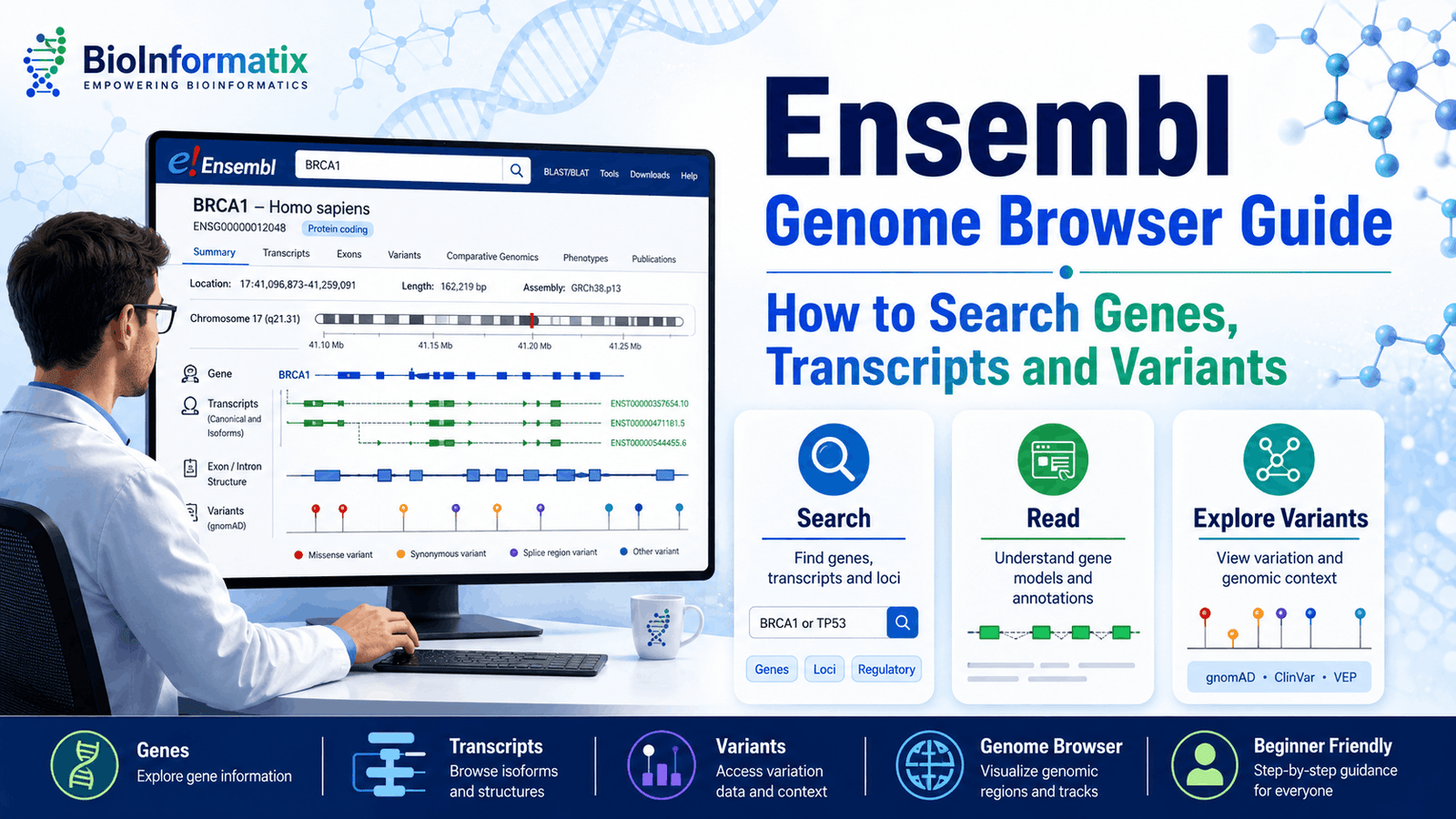
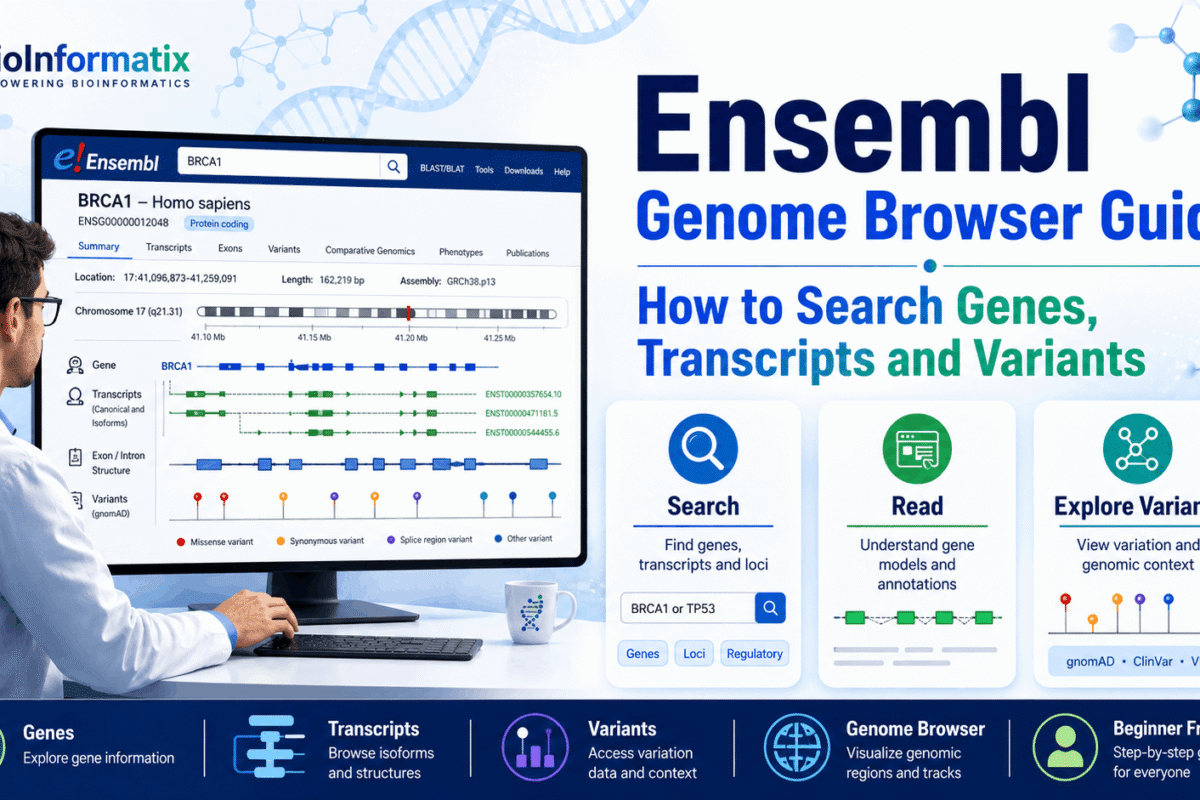
The Ensembl Genome Browser is one of the most important resources for exploring genes, transcripts, genomic regions, sequence variants, comparative genomics and genome annotations. It allows researchers to move from a gene name or genomic coordinate to detailed information about exon structure, alternative transcripts, protein products, orthologues, population variants and disease associations.
However, Ensembl can initially appear complicated. A single gene may have many transcripts, several protein products, thousands of overlapping variants and multiple identifiers. Researchers must also consider the genome assembly, transcript version and annotation release before downloading or interpreting data.
This complete beginner’s guide explains how to use the Ensembl Genome Browser to:
- Search for genes
- Understand Ensembl identifiers
- Compare transcript isoforms
- Select an appropriate transcript
- Inspect exons, introns and coding regions
- Search and interpret variants
- Download DNA, cDNA and protein sequences
- Retrieve large datasets with BioMart
- Annotate variants with Ensembl VEP
- Access Ensembl programmatically
Students who are new to biological databases should first read our guides on what NCBI is, how to use GenBank and how to search protein data in UniProt.
2026 interface note: Ensembl announced a transition to its new platform during summer 2026. The exact position or appearance of buttons may therefore change, but the core concepts covered in this guide, including genes, transcripts, stable identifiers, variants, BioMart and VEP, remain applicable. Ensembl release 116 was published in June 2026. (Ensembl)
What Is the Ensembl Genome Browser?
Ensembl is a public and open genomics project based at EMBL’s European Bioinformatics Institute. It provides access to genome assemblies, gene annotations, sequence variation, comparative genomics, regulatory information and computational tools.
The project began in 1999 to create automated genome annotations and make genomic information publicly available. It later expanded beyond the human genome to include vertebrates and many other organisms. Separate Ensembl portals have historically supported plants, bacteria, fungi, protists and invertebrate metazoans. (Ensembl)
Researchers use Ensembl to investigate:
- Protein-coding genes
- Non-coding genes
- Transcript isoforms
- Exons and introns
- Coding sequences
- Protein sequences
- Genetic variants
- Phenotype associations
- Gene expression
- Regulatory elements
- Orthologues and paralogues
- Gene trees
- Whole-genome alignments
- Genome assemblies
Unlike a simple sequence database, Ensembl organizes information around the physical location of biological features on a genome assembly.
Why Is Ensembl Important in Bioinformatics?
A gene is not simply a single DNA sequence. It may contain multiple exons, produce several alternatively spliced transcripts and encode more than one protein isoform.
Ensembl connects these biological levels:
Genome assembly
      ↓
Genomic region
      ↓
Gene
      ↓
Transcript or isoform
      ↓
Exons and coding sequence
      ↓
Protein product
      ↓
Variants, phenotypes and comparative information
This integrated structure makes Ensembl particularly useful for:
- Gene annotation
- Variant interpretation
- Transcript selection
- Comparative genomics
- RNA-Seq analysis
- Genome annotation
- Evolutionary studies
- Clinical genomics
- Primer design
- Protein sequence retrieval
- Gene-family analysis
For a broader introduction to these applications, read What Is Bioinformatics? A Complete Beginner’s Guide.
Ensembl vs NCBI, GenBank and UniProt
Ensembl overlaps with other biological resources, but each database has a different primary purpose.
| Resource | Primary purpose |
|---|---|
| Ensembl | Genome-centered annotation and visualization |
| NCBI Gene | Gene-centered integration of biological information |
| GenBank | Archive of submitted nucleotide sequences |
| RefSeq | Curated or computationally annotated reference sequences |
| UniProt | Protein sequences and functional annotations |
| dbSNP | Short genetic variants |
| ClinVar | Clinical interpretations of genetic variants |
Ensembl vs GenBank
GenBank is primarily an archival nucleotide sequence database. It stores submitted DNA and RNA sequences and their associated annotations.
Ensembl places genes, transcripts and other features onto a specific genome assembly. It is therefore often more useful when you need to examine:
- Genomic coordinates
- Exon structure
- Alternative transcripts
- Neighbouring genes
- Regulatory regions
- Overlapping variants
- Comparative genomics
Read our GenBank Complete Guide for a detailed explanation of accession numbers, feature tables and sequence downloads.
Ensembl vs UniProt
Ensembl is genome-centered, while UniProt is protein-centered.
Use Ensembl when you need:
- Gene locations
- Transcript structures
- Exon coordinates
- Genomic sequence
- Variant consequences
- Comparative genomics
Use UniProt when you need:
- Protein function
- Protein domains
- Active sites
- Post-translational modifications
- Protein structures
- Protein-family information
Our UniProt Tutorial explains how to search, interpret and download protein records.
Understanding Ensembl Stable Identifiers
Ensembl assigns stable identifiers to genomic features. These identifiers are intended to remain associated with the same biological feature across database releases whenever possible.
For human records, common identifier prefixes include:
| Feature | Identifier prefix | Example format |
|---|---|---|
| Gene | ENSG | ENSG... |
| Transcript | ENST | ENST... |
| Protein | ENSP | ENSP... |
| Exon | ENSE | ENSE... |
For other species, an additional species-specific component may appear in the identifier. For example, mouse identifiers commonly begin with ENSMUS.
Ensembl stable IDs may also contain a version suffix:
ENSG00000139618.19
The part before the decimal point is the stable identifier. The number after the decimal is the version.
Versions may increase when the underlying feature changes. For example:
- A gene version may change when its transcript set changes.
- A transcript version may change when its splicing, location or cDNA sequence changes.
- A protein version may change when its amino acid sequence changes.
- An exon version may change when its genomic sequence changes. (Ensembl Mart)
Why Should You Record the Version?
The gene symbol may remain the same while its annotation changes between releases.
For reproducible research, document:
- Ensembl stable ID
- Version number
- Genome assembly
- Ensembl release
- Date of access
This is especially important for variant annotation, RNA-Seq analysis and transcript-specific studies.
Gene vs Transcript vs Protein in Ensembl
Understanding the difference between genes and transcripts is essential when using Ensembl.
Gene
An Ensembl gene represents a genomic locus containing one or more related transcripts.
A gene can be:
- Protein-coding
- Long non-coding RNA
- MicroRNA
- Pseudogene
- Ribosomal RNA
- Transfer RNA
- Another non-coding biotype
Transcript
A transcript represents one splice form produced from a gene.
Different transcripts may have:
- Different first exons
- Different last exons
- Alternative internal exons
- Different exon boundaries
- Different untranslated regions
- Different coding sequences
- Different protein products
An Ensembl transcript is therefore a single splice variant that may be coding or non-coding. A coding transcript can contain 5′ UTR, coding sequence and 3′ UTR regions. (Ensembl Mart)
Protein
A protein-coding transcript may produce a translated amino acid sequence with its own Ensembl protein identifier.
Not every transcript produces a protein. Non-coding transcripts and transcripts affected by processes such as nonsense-mediated decay may not have standard translated protein products.
How to Search for a Gene in Ensembl
Suppose you want to search for the human BRCA2 gene.
Step 1: Open Ensembl
Open the Ensembl Genome Browser and locate the main search field.
Step 2: Enter the Gene Name
Search for:
BRCA2
For greater specificity, use:
BRCA2 human
You can also search using:
- Ensembl gene ID
- Ensembl transcript ID
- Gene symbol
- Synonym
- Genomic coordinate
- Variant identifier
- External database identifier
For example:
ENSG00000139618
Step 3: Select the Correct Organism
The same or a similar gene symbol may occur in multiple organisms.
Confirm:
- Species
- Scientific name
- Genome assembly
- Gene description
- Chromosome
- Ensembl gene ID
Step 4: Open the Gene Record
Select the appropriate gene result to reach its gene-level page.
Avoid selecting a transcript or protein result unless you specifically need that feature.
How to Read an Ensembl Gene Page
The exact layout may vary between Ensembl interfaces, but a gene page commonly provides several categories of information.
Gene Summary
The summary area normally includes:
- Gene symbol
- Gene description
- Ensembl gene ID
- Chromosomal location
- Strand
- Gene biotype
- Genome assembly
- Number of transcripts
- Source of annotation
The strand may be displayed as positive or negative.
A gene on the negative strand is still reported using coordinates based on the reference assembly, but its biological transcriptional orientation runs in the opposite direction.
Transcript Table
The transcript table lists the splice variants associated with the gene.
Useful columns may include:
- Transcript ID
- Transcript name
- Transcript length
- Biotype
- Coding length
- Protein ID
- Transcript support flags
- MANE status
- Ensembl Canonical status
- APPRIS annotation
- CCDS identifier
Do not assume that the longest transcript is automatically the most appropriate transcript for every study.
Gene Structure
The transcript diagram displays exons as boxes connected by intronic lines.
Depending on the display:
- Filled regions may represent coding sequence.
- Unfilled regions may represent untranslated regions.
- Thin connecting lines represent introns.
- Arrows can indicate the transcriptional direction.
Comparing transcript structures helps identify:
- Alternative first exons
- Exon skipping
- Alternative splice sites
- Alternative coding sequences
- Different UTRs
- Transcript-specific protein products
External References
Ensembl connects genes and transcripts to external resources such as:
- RefSeq
- NCBI Gene
- UniProt
- HGNC
- PDB
- Reactome
- Gene Ontology
- Expression databases
- Organism-specific databases
These cross-references help confirm that you are working with the correct biological feature.
How to Choose the Correct Transcript
Many genes have multiple transcripts. Selecting one transcript without evaluating the evidence can lead to incorrect variant annotations, protein sequences or primer designs.
Important transcript flags include the following.
MANE Select
MANE stands for Matched Annotation from NCBI and EMBL-EBI.
A MANE Select transcript has an Ensembl/GENCODE transcript and a corresponding RefSeq transcript that agree in sequence and structure on the GRCh38 reference assembly.
For human genes, MANE Select is generally a strong default when a single clinically or biologically representative transcript is required. However, additional transcripts may still be relevant to a particular tissue, disease or experimental question. (Ensembl Mart)
Ensembl Canonical
Ensembl assigns one representative canonical transcript per locus.
For protein-coding genes, canonical selection considers factors such as:
- Conserved exon coverage
- Transcript expression
- Coding-sequence length
- Support from other resources
- APPRIS annotation
- UniProt representation
Ensembl itself recommends considering multiple transcripts when accurate locus-level analysis is required. The canonical transcript is a representative choice, not proof that other isoforms are biologically unimportant. (Ensembl Mart)
APPRIS Principal
APPRIS identifies principal protein isoforms using structural, functional and evolutionary information.
This flag can be useful when selecting a representative protein product.
Transcript Support Level
Transcript support levels summarize the degree of experimental support available for a transcript model.
CCDS
A CCDS identifier indicates agreement about a protein-coding region between collaborating annotation groups.
Practical Transcript-Selection Order
For a general human analysis, consider:
- The transcript specified by the disease, laboratory or clinical guideline
- MANE Select or MANE Plus Clinical
- Experimentally supported tissue-relevant transcript
- Ensembl Canonical
- APPRIS Principal
- Well-supported protein-coding transcript
- Other biologically relevant isoforms
For clinical work, always follow the transcript required by the applicable laboratory standard or disease-specific guideline.
How to Open a Transcript Page
From the gene page, select a transcript ID such as an ENST identifier.
The transcript-level page may provide:
- Transcript summary
- Exon structure
- cDNA sequence
- Coding sequence
- Protein sequence
- UTRs
- Supporting evidence
- Protein domains
- Transcript-specific variants
- External references
- Comparative information
Use the transcript page when your question concerns one specific isoform rather than the entire gene.
How to Examine Exons, Introns and Coding Regions
A transcript can be viewed as a series of exon and intron features.
Exon Sequence
The exon view can show:
- Exonic sequence
- Exon boundaries
- Coding and non-coding regions
- Flanking intronic sequence
cDNA Sequence
The cDNA sequence represents the spliced transcript sequence.
For a coding transcript, it may include:
5′ UTR + CDS + 3′ UTR
Coding Sequence
The CDS begins at the translation start codon and ends at the stop codon.
It does not include untranslated regions.
Protein Sequence
The translated protein sequence is derived from the transcript’s coding sequence.
Ensembl’s official sequence-retrieval documentation distinguishes gene sequence, transcript sequence, cDNA, CDS and protein outputs and allows these sequences to be exported from the relevant feature page. (Ensembl)
How to Download Sequences from Ensembl
After opening the correct gene or transcript, locate the sequence or export option.
Depending on the selected record, you may be able to download:
- Genomic DNA
- Genomic DNA with flanking regions
- Transcript sequence
- cDNA
- Coding sequence
- Exon sequences
- Intron sequences
- Protein sequence
- UTR sequence
Downloading a Gene Sequence
A gene-level export may include the complete genomic region spanning the gene.
Be careful: this is not the same as the spliced transcript sequence.
Downloading a Transcript Sequence
Select the exact transcript before downloading.
Possible outputs include:
- cDNA
- CDS
- Protein
- Exons
- Introns
- UTRs
Choosing the Correct Format
FASTA is appropriate when you primarily need the sequence.
GTF or GFF3 is appropriate when you need:
- Gene coordinates
- Transcript coordinates
- Exon boundaries
- Feature types
- Parent-child relationships
Large species-level FASTA, GTF and GFF3 files can also be obtained from Ensembl’s download infrastructure.
How to Search for a Variant in Ensembl
Ensembl can be searched using a known variant identifier, such as an rs number.
For example:
rs429358
This variant is often discussed in relation to the APOE locus.
Step 1: Search the Variant ID
Enter the identifier into the Ensembl search field.
Step 2: Select the Correct Variant Result
Confirm:
- Species
- Variant ID
- Chromosome
- Genome assembly
- Alleles
- Variant class
Step 3: Open the Variant Page
The variant page may provide:
- Reference and alternative alleles
- Genomic location
- Variant class
- Source database
- Flanking sequence
- Overlapping genes
- Overlapping transcripts
- Predicted molecular consequences
- Population frequencies
- Phenotype associations
- Clinical significance
- Linkage disequilibrium
- Supporting publications
Ensembl’s variation resources integrate sequence variants with genes, transcripts, population data and phenotype information. Variant pages can also provide links to overlapping transcripts and disease-related resources. (Ensembl Mart)
How to Interpret Variant Consequences
A single variant can have different effects on different transcripts.
For example, the same genomic variant might be:
- Missense in one transcript
- Intronic in another transcript
- Upstream of another gene
- Located in a non-coding transcript
- Within a regulatory region
Common consequence terms include:
missense_variantsynonymous_variantstop_gainedframeshift_variantsplice_donor_variantsplice_acceptor_variantintron_variant5_prime_UTR_variant3_prime_UTR_variantupstream_gene_variantdownstream_gene_variantintergenic_variant
Therefore, you should always record:
- Genome assembly
- Transcript ID
- Transcript version
- Gene ID
- Reference allele
- Alternative allele
- Genomic coordinate
- Predicted consequence
Population Allele Frequencies
For supported species and datasets, Ensembl may display allele-frequency information from projects such as the 1000 Genomes Project and gnomAD.
Frequencies may be available for:
- Global populations
- Continental groups
- Subpopulations
- Variant-discovery projects
Population frequency is valuable for variant prioritization, but it must be interpreted according to:
- Disease prevalence
- Inheritance pattern
- Penetrance
- Population ancestry
- Sequence quality
- Coverage
- Dataset composition
Ensembl integrates frequency information from multiple population projects where available. (Ensembl Mart)
Annotating Variants with Ensembl VEP
The Ensembl Variant Effect Predictor, usually called VEP, predicts the effects of sequence variants on genes, transcripts, proteins and regulatory features.
VEP can analyze:
- Single-nucleotide variants
- Insertions
- Deletions
- Copy-number variants
- Structural variants
It can report information such as:
- Consequence term
- Affected gene
- Affected transcript
- Amino acid change
- Codon change
- Existing variant identifier
- Population frequency
- Phenotype associations
- Protein-domain overlap
- Regulatory consequences
A single variant may receive multiple consequence predictions because it can overlap several transcripts or genomic features. (Ensembl)
Basic VEP Workflow
- Prepare your variants.
- Confirm the genome assembly.
- Open the VEP web interface.
- Paste or upload the variants.
- Select the species and assembly.
- Choose additional annotations.
- Run the analysis.
- Review transcript-specific results.
- Filter and download the output.
Common input formats include:
- VCF
- Variant identifiers
- Genomic coordinates and alleles
- Ensembl-style variant format
For practical variant-analysis training, explore Learn Variant Calling: NGS Data Analysis.
GRCh38 vs GRCh37: Why the Genome Assembly Matters
Human genomic coordinates are meaningful only in relation to a specific genome assembly.
A coordinate on GRCh37 may refer to a different nucleotide or genomic location on GRCh38.
Before searching or annotating a human variant, confirm whether your data use:
- GRCh38
- GRCh37
- Another assembly
The main modern human Ensembl data use GRCh38, while Ensembl maintains dedicated access for human GRCh37 data, including a separate REST service. (Ensembl)
Never Mix Assemblies
Do not combine:
- GRCh37 coordinates with GRCh38 annotations
- GRCh38 VCF files with GRCh37 VEP caches
- Transcript coordinates from different assemblies
- BED, BAM and VCF files created against different references
When coordinates must be converted, use an appropriate assembly-conversion tool and verify the result.
How to Retrieve Large Datasets with BioMart
BioMart is Ensembl’s web-based data-mining system. It allows users to extract customized tables without needing to understand the underlying database structure or write code. (Ensembl)
BioMart queries are built using three main components:
Dataset
Choose the species and database.
For example:
Ensembl Genes → Human genes
Filters
Filters define which records you want.
Examples include:
- Chromosome
- Genomic region
- Gene list
- Ensembl IDs
- Gene symbols
- Biotype
- Gene Ontology term
- Protein domain
Attributes
Attributes define which columns will appear in the output.
Examples include:
- Ensembl gene ID
- Ensembl transcript ID
- Gene symbol
- Gene description
- Chromosome
- Gene start
- Gene end
- Strand
- Transcript biotype
- Protein ID
- RefSeq ID
- UniProt accession
- Gene Ontology terms
Example BioMart Query
Suppose you need all protein-coding genes from human chromosome 17.
You could select:
Dataset:
Human genes

Filter:
Chromosome = 17
Gene biotype = protein_coding

Attributes:
Ensembl gene ID
Ensembl transcript ID
Gene symbol
Gene description
Chromosome
Gene start
Gene end
UniProt accession
You can then export the results as a table or sequence dataset.
Accessing Ensembl with R
The Bioconductor biomaRt package can retrieve Ensembl data directly in R.
This is useful for:
- Converting Ensembl IDs to gene symbols
- Retrieving gene coordinates
- Obtaining transcript information
- Mapping orthologues
- Retrieving sequence annotations
- Adding gene descriptions to RNA-Seq results
Before automating these tasks, build a solid foundation with our R Programming for Bioinformatics guide.
Accessing Ensembl with Python and the REST API
Ensembl provides a REST API that allows access from programming languages such as Python, R, JavaScript and command-line tools. The service includes endpoints for genes, transcripts, sequences, variants, comparative genomics and VEP. (Ensembl REST API)
The following Python example retrieves information about the human BRCA2 gene:
from __future__ import annotations

import requests


def get_ensembl_feature(stable_id: str) -> dict:
    """Retrieve an Ensembl gene, transcript or protein record."""

    url = f"https://rest.ensembl.org/lookup/id/{stable_id}"
    headers = {
        "Accept": "application/json",
        "Content-Type": "application/json",
    }

    response = requests.get(
        url,
        headers=headers,
        params={"expand": 1},
        timeout=30,
    )
    response.raise_for_status()

    data = response.json()

    if not isinstance(data, dict):
        raise ValueError("Unexpected response returned by Ensembl.")

    return data


try:
    record = get_ensembl_feature("ENSG00000139618")

    print("ID:", record.get("id"))
    print("Display name:", record.get("display_name"))
    print("Species:", record.get("species"))
    print("Chromosome:", record.get("seq_region_name"))
    print("Start:", record.get("start"))
    print("End:", record.get("end"))
    print("Strand:", record.get("strand"))

except requests.RequestException as error:
    print(f"Ensembl request failed: {error}")
except ValueError as error:
    print(f"Could not process the response: {error}")
The expand option requests connected features, such as transcripts and exons, where supported by the endpoint. (Ensembl REST API)
To develop these programming and automation skills, join Learn Bioinformatics Data Analysis: Master Python, Linux and R Scripting.
You may also find these guides helpful:
Comparative Genomics in Ensembl
Ensembl provides comparative genomics resources that can help researchers investigate:
- Orthologues
- Paralogues
- Gene trees
- Synteny
- Whole-genome alignments
- Conserved regions
- Gene gain and loss
- Evolutionary relationships
Orthologues
Orthologues are related genes found in different species that originated from a common ancestral gene through speciation.
Paralogues
Paralogues are related genes produced through gene duplication.
The gene-level comparative genomics views can help determine whether a gene:
- Has a mouse orthologue
- Belongs to a conserved gene family
- Has undergone lineage-specific duplication
- Is conserved across vertebrates
- Has related paralogues in the same genome
These analyses are especially useful in functional genomics and candidate-gene prioritization.
Using Ensembl Plants and Other Species Portals
Ensembl has historically provided dedicated portals for:
- Plants
- Bacteria
- Fungi
- Protists
- Metazoa
These resources allow researchers to explore gene models, sequences, comparative genomics and genome assemblies for non-vertebrate organisms. Ensembl’s 2026 platform transition is progressively bringing broader genome access into a more unified infrastructure. (Ensembl)
Plant researchers commonly use Ensembl for:
- Plant gene retrieval
- Transcript analysis
- Protein sequence downloads
- Orthologue identification
- Gene-family analysis
- Comparative genomics
- Chromosomal distribution
- Genome annotation
For practical plant-genomics training, explore Learn Genome-Wide Identification and Characterization of Plant Gene Families Using Bioinformatics.
Common Applications of Ensembl
Gene and Transcript Annotation
Researchers examine gene structures, transcript isoforms, exon coordinates and coding sequences.
Variant Interpretation
Variants can be mapped to genes and transcripts and assessed using VEP.
RNA-Seq Analysis
Ensembl gene and transcript annotations are frequently used to:
- Build aligner indexes
- Quantify gene expression
- Interpret differential-expression results
- Convert Ensembl IDs to gene symbols
- Retrieve transcript biotypes
Genome Annotation
Ensembl genome annotations can support newly assembled genome comparisons and gene-model evaluation.
Develop these skills through Learn Genome Assembly and Annotation in Prokaryotes and Eukaryotes.
Primer Design
Researchers can retrieve genomic or transcript sequence and examine exon boundaries before designing primers.
Protein Analysis
Transcript-derived protein sequences can be downloaded and connected to UniProt, domains and structural resources.
Gene-Family Analysis
Orthologues, paralogues and protein sequences can support evolutionary and comparative studies.
Common Ensembl Mistakes to Avoid
Ignoring the Genome Assembly
Always confirm whether coordinates refer to GRCh37, GRCh38 or another assembly.
Using Only the Gene Symbol
Gene symbols can change and may not always be unique. Record the Ensembl stable ID.
Ignoring the Stable-ID Version
The underlying transcript or protein sequence may change between versions.
Selecting the Longest Transcript Automatically
The longest transcript may not be MANE Select, canonical, tissue-relevant or clinically appropriate.
Confusing Gene Sequence with cDNA
Gene sequence contains genomic DNA and introns. cDNA represents the spliced transcript.
Confusing cDNA with CDS
cDNA may contain UTRs. CDS contains only the translated coding region.
Ignoring Transcript-Specific Variant Consequences
The same variant can have different effects on different transcripts.
Mixing Gene and Transcript IDs
ENSG identifies a human gene, while ENST identifies a human transcript.
Downloading the Wrong Species
Confirm the organism before downloading sequences or annotations.
Ignoring Annotation Release
Ensembl annotations can change. Record the database release used in your analysis.
Treating Canonical as the Only Relevant Transcript
The canonical transcript is a representative choice. Other isoforms may be biologically or clinically important.
Ignoring External Cross-References
Compare Ensembl information with RefSeq, UniProt, NCBI Gene and relevant specialist databases.
Learn Ensembl and Biological Databases with BioInformatix
Reading an Ensembl Genome Browser guide provides a strong foundation, but practical database navigation is necessary for developing professional bioinformatics skills.
Start with our free course:
Introduction to Biological Databases for Bioinformatics
This beginner-friendly course introduces:
- Biological databases
- NCBI
- GenBank
- UniProt
- Ensembl
- Sequence databases
- Genome resources
- Protein databases
- Database searching
- Biological data retrieval
Beginners can also follow our free:
Roadmap to Bioinformatics: A Beginner’s Guide to Careers, Skills and Learning Path
To automate Ensembl searches and process genomic data, continue with:
Learn Bioinformatics Data Analysis: Master Python, Linux and R Scripting
For complete project-based training, explore:
Learn Bioinformatics: Beginner to Master Through Real-World Projects
For variant analysis and functional annotation, join:
Learn Variant Calling: NGS Data Analysis
Recommended Learning Path
Follow this sequence to build practical biological-database skills:
- Read What Is Bioinformatics?.
- Study What Is NCBI?.
- Read the GenBank Complete Guide.
- Complete the UniProt Tutorial.
- Complete the free Introduction to Biological Databases for Bioinformatics course.
- Practice searching genes and transcripts in Ensembl.
- Compare MANE Select, canonical and alternative transcripts.
- Download genomic, cDNA, CDS and protein sequences.
- Retrieve gene tables using BioMart.
- Annotate example variants with Ensembl VEP.
- Automate data retrieval using Python, R or the REST API.
- Apply these skills to real genomic datasets.
Frequently Asked Questions
Is Ensembl free?
Yes. Ensembl’s genome browser, annotations, data downloads and major tools are publicly accessible.
What is an Ensembl gene ID?
An Ensembl gene ID is a stable identifier assigned to a gene. Human gene identifiers normally begin with ENSG.
What is an Ensembl transcript ID?
An Ensembl transcript ID identifies a particular transcript or splice isoform. Human transcript identifiers normally begin with ENST.
What is an Ensembl protein ID?
An Ensembl protein ID identifies the translated product of a protein-coding transcript. Human protein identifiers normally begin with ENSP.
What is the difference between a gene and a transcript?
A gene represents a genomic locus. A transcript represents one splice form produced from that gene.
Which transcript should I use?
The correct transcript depends on your research or clinical context. For human genes, MANE Select is often a useful default, but disease-specific, tissue-specific or experimentally validated transcripts may be more appropriate.
What is the Ensembl Canonical transcript?
It is a representative transcript selected for each locus using multiple criteria, including conservation, expression, coding length and support from external resources.
Does Ensembl contain variants?
Yes. Ensembl integrates variants, their genomic locations, predicted transcript consequences, population frequencies and phenotype information where available.
What is Ensembl VEP?
VEP predicts the effects of variants on genes, transcripts, proteins and regulatory features.
Can Ensembl provide DNA and protein sequences?
Yes. Depending on the selected feature, you can retrieve genomic DNA, transcript sequence, cDNA, CDS and protein sequence.
What is BioMart?
BioMart is a customizable data-extraction tool that allows users to retrieve selected Ensembl records and attributes without writing code.
Can I access Ensembl with Python?
Yes. Ensembl provides a REST API that can be accessed using Python and other programming languages.
Does Ensembl support GRCh37?
Yes. Ensembl maintains dedicated access to human data mapped to the GRCh37 assembly.
Final Thoughts
The Ensembl Genome Browser is an essential resource for understanding how genes, transcripts, proteins and genetic variants are organized within a genome.
To use Ensembl accurately, always distinguish between:
- Gene and transcript records
- Genomic DNA and cDNA
- cDNA and coding sequence
- Stable identifier and version number
- Canonical and alternative transcripts
- GRCh37 and GRCh38 coordinates
- Variant-level and transcript-level consequences
Begin with simple gene searches, compare transcript structures, inspect sequence features and practice downloading the correct sequence type. You can then progress to BioMart, VEP, comparative genomics and programmatic access through the REST API.
Combined with NCBI, GenBank, UniProt, Linux, Python and R, Ensembl provides a powerful foundation for genomics, transcriptomics, variant interpretation, genome annotation and computational biology.