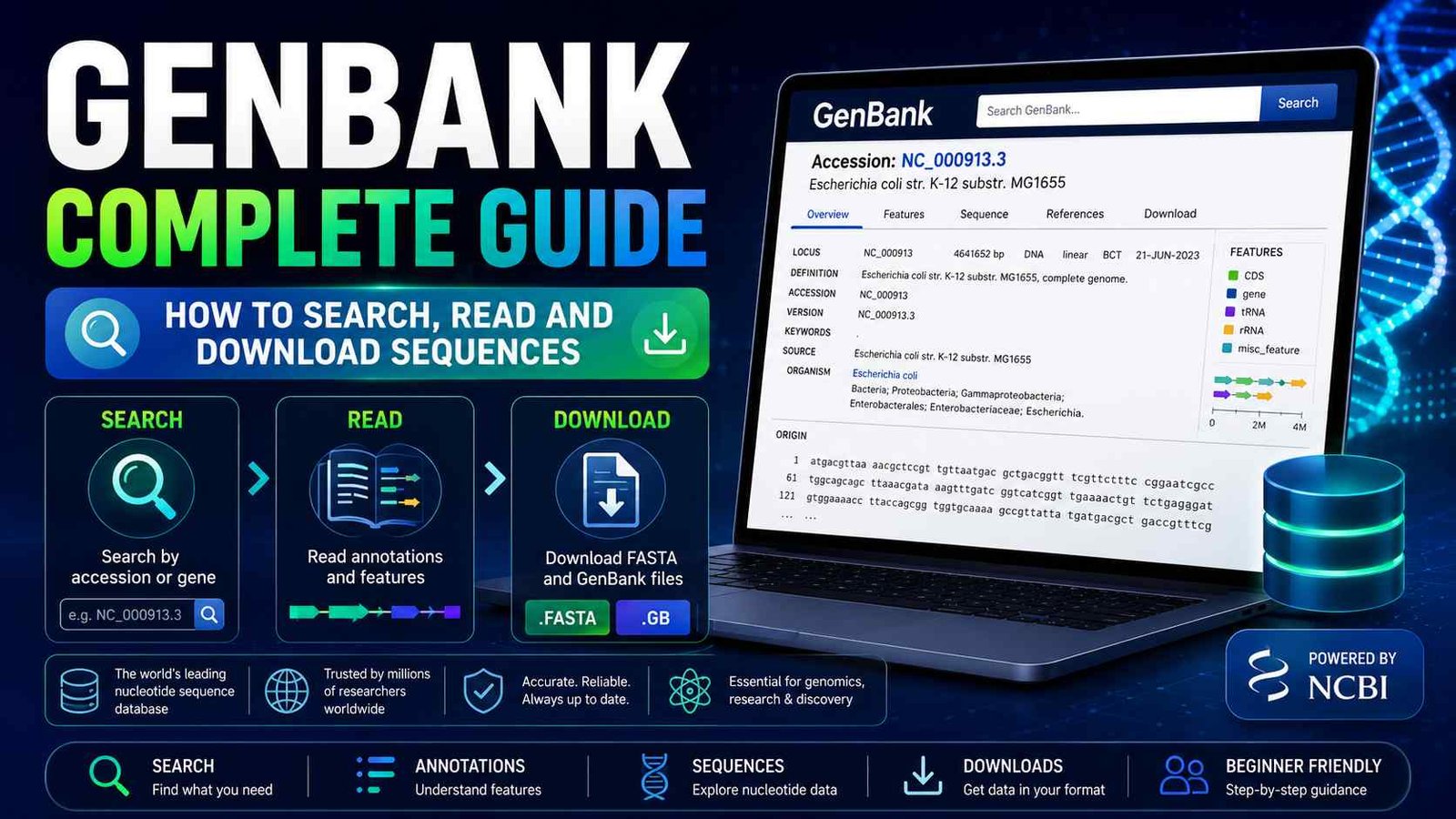
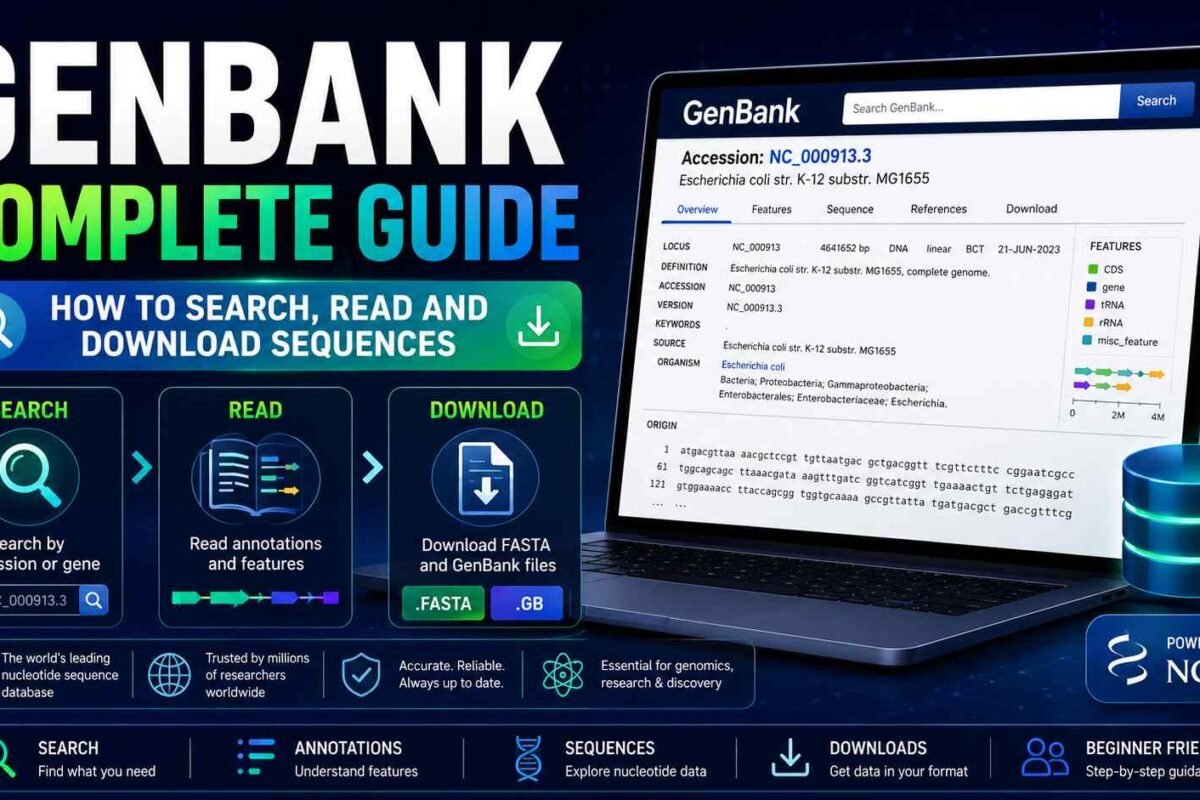
GenBank database is one of the most important resources for students, researchers, and professionals working in bioinformatics, genetics, genomics, microbiology, and molecular biology. It provides public access to nucleotide sequences and their associated biological annotations, allowing users to find genes, transcripts, genomes, plasmids, viruses, and other DNA or RNA sequences.
However, GenBank can initially appear confusing. A single record may contain accession numbers, sequence versions, coding regions, references, organism details, and several downloadable formats.
This complete beginner’s guide explains what GenBank is, how its records are organized, how to search for sequences, how to download data, and how GenBank differs from databases such as RefSeq, NCBI Gene, SRA, and GEO.
Before continuing, beginners may also find it helpful to read our guide on what NCBI is and how its major databases work.
What Is GenBank?
GenBank is the National Institutes of Health genetic sequence database maintained by the National Center for Biotechnology Information, commonly known as NCBI.
It is an annotated archive of publicly available nucleotide sequences. Its records may represent:
- Individual genes
- Messenger RNA sequences
- Ribosomal RNA sequences
- Complete chromosomes
- Complete genomes
- Plasmids
- Viral genomes
- Mitochondrial genomes
- Chloroplast genomes
- Whole-genome shotgun assemblies
- Transcriptome assemblies
- Synthetic constructs
GenBank is one of the three partners in the International Nucleotide Sequence Database Collaboration, or INSDC. The other partners are the European Nucleotide Archive and the DNA Data Bank of Japan. These organizations exchange sequence data daily, making submitted records accessible through all three systems. NCBI publishes a formal GenBank release every two months. (NCBI)
Why Is GenBank Important?
Modern research produces enormous quantities of DNA and RNA sequence data. Without public archives such as GenBank, researchers would have difficulty sharing, reproducing, comparing, and building upon previously generated results.
GenBank allows researchers to:
- Retrieve previously published sequences
- Compare newly generated sequences with known sequences
- Identify genes and organisms
- Study genetic variation
- Examine genome organization
- Design primers
- Perform phylogenetic analysis
- Annotate newly assembled genomes
- Create custom sequence databases
- Develop bioinformatics pipelines
- Reuse public data in new studies
GenBank records also connect sequence information with scientific publications, taxonomy, protein products, genome assemblies, BioProjects, BioSamples, and other NCBI resources.
If you are unfamiliar with the broader discipline, begin with our article on what bioinformatics is and how it is used.
Is GenBank a Primary or Secondary Database?
GenBank is generally classified as a primary biological database because it archives nucleotide sequences submitted by researchers, sequencing centers, and other data providers.
Primary databases contain experimentally generated or directly submitted biological data. Secondary databases analyze, curate, classify, or reorganize information obtained from primary databases.
This distinction is important because GenBank is primarily an archival resource. Although records undergo processing and validation checks, the biological annotation often originates from the submitter. Users should therefore evaluate the record’s source, annotation quality, version, and supporting publication before using it in an analysis.
GenBank and the NCBI Nucleotide Database
A common source of confusion is the relationship between GenBank and the NCBI Nucleotide database.
GenBank is a nucleotide sequence archive. NCBI Nucleotide is the search and retrieval system through which users can access records from several sequence collections, including:
- GenBank
- RefSeq
- Third Party Annotation records
- Nucleotide sequences derived from PDB records
Therefore, a search in NCBI Nucleotide may return both GenBank and RefSeq records. You should inspect the accession number and record source before selecting a sequence. (NCBI)
What Information Does a GenBank Record Contain?
A GenBank record contains much more than a DNA or RNA sequence. It combines the sequence with structured metadata and biological annotations.
The major sections of a traditional GenBank flat-file record include the following.
LOCUS
The LOCUS line summarizes basic information about the record, including:
- Locus name
- Sequence length
- Molecule type
- Sequence topology
- GenBank division
- Modification date
For example, it may indicate whether a sequence is linear or circular and whether it represents DNA, mRNA, or another nucleic acid molecule. (NCBI)
DEFINITION
The DEFINITION field provides a short description of the sequence.
It may contain:
- Organism name
- Gene name
- Sequence type
- Transcript description
- Genome or plasmid information
Do not rely on this field alone. Two records can have similar descriptions but represent different species, strains, transcripts, or sequence versions.
ACCESSION
The ACCESSION field contains the record’s stable identifier.
An accession number is used to retrieve and cite a particular database record. Examples may include formats such as:
U49845
AF123456
AY123456
Accession formats vary according to the sequence collection and the period in which the record was created.
VERSION
The VERSION field combines the accession number with a sequence version:
U49845.1The accession portion normally remains stable. When the underlying nucleotide sequence changes, the version number increases. For example, .2 represents a later sequence version than .1.
Searching with the accession number alone generally retrieves the latest version. Using the complete accession.version identifier specifies the exact sequence version used in an analysis. (NCBI)
KEYWORDS
The KEYWORDS field may contain terms that describe or classify the record. Some records have limited keyword information, so this should not be treated as the primary source of biological interpretation.
SOURCE and ORGANISM
These fields identify the biological source of the sequence.
They may include:
- Scientific organism name
- Common name
- Taxonomic lineage
- Strain
- Isolate
- Cultivar
- Tissue
- Host
- Geographic origin
Always check the organism and strain before downloading a sequence. A gene with the same or a similar name may exist in many organisms.
REFERENCE
The REFERENCE section identifies publications or submitter information associated with the sequence.
It may include:
- Authors
- Article title
- Journal
- PubMed identifier
- Submission information
When a peer-reviewed publication is available, examine it to understand how the sequence was generated and validated.
FEATURES
The FEATURES table is one of the most informative parts of a GenBank record.
It describes biological elements located within the sequence, such as:
sourcegenemRNAexonintronCDSrRNAtRNApromoterrepeat_regionmisc_feature
Each feature has genomic coordinates and may contain qualifiers such as:
- Gene name
- Product name
- Protein identifier
- Translation
- Function
- Experiment
- Database cross-reference
- Notes
GenBank annotations can be submitted using a structured five-column feature table containing feature locations, feature types, and approved qualifiers. (NCBI)
ORIGIN
The ORIGIN section contains the nucleotide sequence itself, normally shown in the 5′ to 3′ direction.
In a GenBank flat file, the bases are numbered and divided into groups for readability. (NCBI)
What Is a GenBank Accession Number?
A GenBank accession number is a unique identifier assigned to a sequence record.
Accession numbers are important because gene names and sequence descriptions are not always unique. An accession provides a more reliable way to identify the exact record used in a study.
For example, a methods section should not simply state:
The BRCA1 sequence was downloaded from NCBI.
A more reproducible description would include:
- Database name
- Accession number
- Sequence version
- Organism
- Date accessed, when relevant
For computational pipelines, storing the complete accession.version identifier is usually preferable because it records the exact sequence version analyzed.
Accession Number vs GI Number
Older publications and databases may include a GI number, or GenInfo Identifier.
NCBI discontinued assigning new GI numbers to sequence records. Modern workflows should use accession.version identifiers instead.
When reproducing an older analysis, you may encounter both identifiers, but the accession number is the more durable and appropriate identifier for current sequence retrieval.
How to Search GenBank
GenBank records are commonly searched through the NCBI Nucleotide database.
Step 1: Open NCBI Nucleotide
Go to the NCBI website and select Nucleotide from the database menu.
Step 2: Enter a Specific Search
Avoid using only a broad gene name.
Instead of searching:
BRCA1use a more specific query such as:
BRCA1 Homo sapiensOther useful searches might include:
TP53 Homo sapiens mRNA16S ribosomal RNA Bacillus subtilisEscherichia coli complete genomeSARS-CoV-2 complete genomeAdding the organism, molecule type, strain, or sequence description can substantially improve the relevance of the results.
Step 3: Use Search Filters
Depending on the interface and results, filters may help you narrow records by:
- Organism
- Sequence type
- Molecule type
- Sequence length
- Publication date
- Source database
Be careful when selecting a record. Search results may contain genomic sequences, transcripts, partial sequences, predicted sequences, and reference records.
Step 4: Open the Record
Before downloading, check:
- Accession and version
- Record title
- Organism
- Strain or isolate
- Sequence length
- Completeness
- Source database
- Annotation
- Related publication
Step 5: Inspect the FEATURES Table
Confirm that the relevant gene, coding sequence, transcript, or other feature is present.
For protein-coding sequences, inspect:
- CDS coordinates
- Reading frame
- Protein translation
- Protein identifier
- Gene name
- Product description
Step 6: Download the Appropriate Format
Select the format required for your analysis.
Searching GenBank by Accession Number
If you already have an accession number, enter it directly into NCBI Nucleotide.
For example:
U49845To retrieve an exact sequence version, include the version suffix:
U49845.1Searching by accession is generally more accurate than searching by a gene or locus name because accession numbers are stable identifiers. NCBI specifically recommends accession-based searching when the identifier is available. (NCBI)
How to Download a Sequence from GenBank
After opening a record, you can download it in several formats.
FASTA Format
FASTA normally contains:
- A definition line beginning with
> - The nucleotide sequence
Example:
>accession sequence description
ATGCGTACGTTAGCTAGCTAGCTA
FASTA is useful for:
- BLAST searches
- Sequence alignment
- Primer design
- Phylogenetic analysis
- Genome indexing
- Custom databases
- Bioinformatics pipelines
GenBank Format
GenBank format contains:
- Sequence
- Accession information
- References
- Taxonomy
- Feature coordinates
- Biological annotations
- Translated coding sequences
Use GenBank format when your analysis requires both the sequence and its annotation.
Other Formats
Depending on the NCBI interface and record type, additional formats may include:
- GFF3
- XML
- ASN.1
- Feature tables
- CSV or tabular data
- BED
- VCF
NCBI’s graphical sequence viewer supports downloading FASTA sequences, GenBank flat files, and several annotation or track formats. (NCBI)
FASTA vs GenBank Format
| Feature | FASTA | GenBank |
|---|---|---|
| Nucleotide sequence | Yes | Yes |
| Sequence description | Basic | Detailed |
| Gene annotations | No | Yes |
| CDS coordinates | No | Yes |
| References | No | Yes |
| Taxonomy | Limited | Detailed |
| Easy for sequence tools | Yes | Depends on tool |
| Suitable for annotation analysis | Limited | Yes |
Use FASTA when you primarily need the sequence.
Use GenBank format when you need the sequence together with its biological features and metadata.
GenBank vs RefSeq
GenBank and RefSeq are separate NCBI sequence resources, although their records can both appear in NCBI Nucleotide searches.
GenBank
GenBank is an archival collection of publicly available nucleotide sequences submitted by researchers and data-producing organizations.
It can contain:
- Multiple records for the same gene or organism
- Submitter-provided annotations
- Partial and complete sequences
- Different isolates and strains
- Alternative assemblies
- Experimental sequences
RefSeq
RefSeq provides a non-redundant collection of reference sequences derived from records available through the international sequence archives. RefSeq records may be curated by NCBI staff or generated through NCBI annotation pipelines, depending on the organism and record type. (NCBI)
Common RefSeq prefixes include:
NC_for genomic moleculesNM_for protein-coding transcriptsNR_for non-coding transcriptsNP_for proteinsXM_for predicted protein-coding transcriptsXP_for predicted proteins
Which One Should You Use?
Use RefSeq when you need:
- A standardized reference sequence
- A non-redundant transcript or protein
- Consistent NCBI annotation
- A commonly accepted reference for a well-studied organism
Use GenBank when you need:
- The originally submitted sequence
- A specific strain, isolate, or cultivar
- Recently submitted records
- Sequence diversity
- Records not represented in RefSeq
- Historical or publication-specific sequences
For many projects, researchers examine both resources before selecting the most appropriate record.
GenBank vs NCBI Gene
GenBank records are sequence-centered. Each record describes a specific nucleotide sequence and its annotations.
NCBI Gene is gene-centered. A Gene page integrates information from multiple resources, potentially including:
- Official gene nomenclature
- Genomic location
- RefSeq transcripts
- Protein products
- Phenotypes
- Pathways
- Variants
- Publications
- External database links
Use NCBI Gene to understand a gene as a biological entity. Use GenBank or NCBI Nucleotide to retrieve a particular nucleotide sequence.
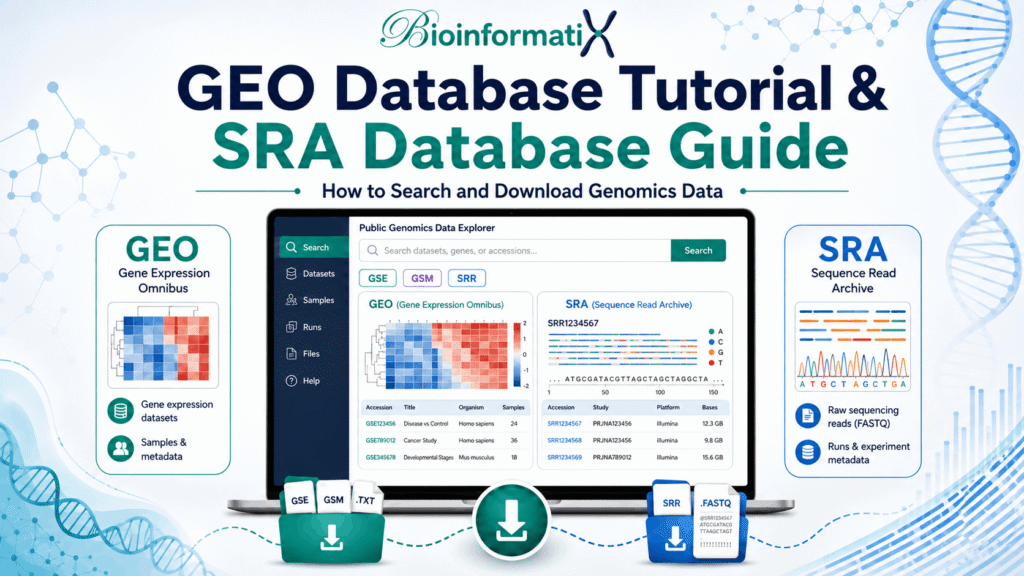
GenBank vs SRA
GenBank primarily stores assembled or finished nucleotide sequences.
The Sequence Read Archive, or SRA, stores raw high-throughput sequencing data, such as reads generated by:
- Illumina sequencing
- Oxford Nanopore sequencing
- PacBio sequencing
- RNA sequencing
- Whole-genome sequencing
- Metagenomic sequencing
A typical genome project may therefore include:
- Raw reads in SRA
- Sample metadata in BioSample
- Project information in BioProject
- An assembled genome in GenBank
- A reference copy in RefSeq, when selected and processed by NCBI
For a broader explanation of these connected resources, see our complete beginner’s guide to NCBI.
GenBank vs GEO
GenBank stores nucleotide sequences and their annotations.
The Gene Expression Omnibus, or GEO, stores functional genomics studies and associated data, including:
- Microarray experiments
- RNA-Seq studies
- Gene expression matrices
- Epigenomic experiments
- ChIP-Seq studies
- Processed experimental data
A transcript sequence may be available through GenBank, while an experiment measuring that transcript’s expression may be available through GEO.
Common Uses of GenBank in Bioinformatics
Sequence Similarity Searching
Researchers use GenBank-associated nucleotide collections in BLAST searches to identify similar sequences and investigate potential homology.
Gene Annotation
An unknown sequence can be compared with annotated GenBank records to identify possible genes, coding regions, or functional elements.
Primer Design
Researchers retrieve target sequences from GenBank before designing PCR or sequencing primers.
Always confirm:
- Organism
- Sequence orientation
- Exon structure
- Transcript variant
- Target region
- Sequence version
Phylogenetic Analysis
GenBank sequences are widely used to study evolutionary relationships among genes, organisms, strains, and species.
Before constructing a phylogenetic tree, check that sequences represent comparable regions and have sufficient overlap.
Genome Assembly and Annotation
Genome assemblies can be submitted to and retrieved from GenBank. These records support comparative genomics, genome annotation, microbial genomics, and evolutionary analysis.
Develop practical experience with these workflows through our Learn Genome Assembly and Annotation in Prokaryotes and Eukaryotes course.
Transcript and Gene Analysis
GenBank provides transcript and coding sequence information that can support:
- Open reading frame analysis
- Exon identification
- Protein translation
- Alternative transcript comparisons
- Gene family analysis
Custom Bioinformatics Pipelines
Sequences can be downloaded programmatically and processed using Linux, Python, R, Biopython, and command-line tools.
Related guides include:
- Python for Bioinformatics: A Complete Beginner’s Guide
- R Programming for Bioinformatics: A Complete Beginner’s Guide
- Linux for Bioinformatics: The Complete Beginner’s Guide
How to Submit a Sequence to GenBank
Researchers can submit eligible assembled nucleotide sequences through the NCBI Submission Portal.
NCBI currently provides separate submission paths for different data types, including:
- Assembled nucleotide sequences through GenBank submission workflows
- Prokaryotic and eukaryotic genomes through GenBank-Genome
- Transcriptome shotgun assemblies through GenBank-TSA
- Raw sequencing reads through SRA
For large or highly annotated submissions, NCBI also provides table2asn, a command-line tool used to prepare sequence records and annotations for submission. (Submission Portal)
A submission may require:
- Sequence in FASTA format
- Organism information
- Source metadata
- Feature annotations
- Author details
- Associated publication
- BioProject or BioSample information
- Assembly information, when applicable
After processing, NCBI assigns an accession number that can be included in manuscripts and shared with other researchers.
Common GenBank Mistakes to Avoid
Selecting the First Search Result
The first result may not represent the correct organism, isoform, strain, or sequence type.
Confusing GenBank with RefSeq
Check the record source and accession prefix before beginning an analysis.
Ignoring the Version Number
A sequence may change after correction or update. Record the accession.version identifier used in your project.
Downloading FASTA When Annotation Is Required
FASTA usually contains sequence data but not detailed feature annotations. Download GenBank or GFF3 when coordinates and features are needed.
Using Partial Sequences as Complete Genes
Check the record title, sequence length, feature coordinates, and completeness.
Ignoring Strain or Isolate Information
This is particularly important in microbial genomics, viral genomics, plant research, and population studies.
Mixing Different Gene Regions
When performing phylogenetic analysis, confirm that all sequences represent homologous and sufficiently overlapping regions.
Trusting Every Annotation Without Verification
Review supporting publications, source metadata, feature qualifiers, and comparison with curated resources.
Failing to Document Accession Numbers
Store accession numbers and versions in your scripts, tables, supplementary files, or project metadata.
Learn GenBank and Biological Databases with BioInformatix
Reading about GenBank is useful, but practical database navigation is essential for developing real bioinformatics skills.
Our free course, Introduction to Biological Databases for Bioinformatics, introduces beginners to biological data resources and teaches how to find and interpret nucleotide, genomic, and protein information.
The course covers important resources such as:
- NCBI
- GenBank
- Biological sequence databases
- Genome resources
- Protein databases
- Expression databases
- Database searching and data retrieval
After learning database fundamentals, continue with Learn Bioinformatics Data Analysis: Master Python, Linux and R Scripting to develop the programming skills required to retrieve, process, and analyze biological data.
For project-based learning, explore Learn Bioinformatics: Beginner to Master Through Real-World Projects.
Beginners can also start with our free Roadmap to Bioinformatics: A Beginner’s Guide to Careers, Skills and Learning Path course.
Recommended Learning Path
Follow this sequence to build practical database and sequence-analysis skills:
- Read What Is Bioinformatics? A Complete Beginner’s Guide.
- Study What Is NCBI? A Complete Beginner’s Guide.
- Complete the free Introduction to Biological Databases for Bioinformatics course.
- Learn basic command-line analysis through Linux Command Line Essentials for Bioinformatics.
- Develop programming skills with Learn Bioinformatics Data Analysis: Master Python, Linux and R Scripting.
- Apply your skills to real datasets through Learn Bioinformatics: Beginner to Master Through Real-World Projects.
Frequently Asked Questions
Is GenBank free?
Yes. GenBank records can be searched and downloaded without a subscription.
Is GenBank maintained by NCBI?
Yes. GenBank is produced and distributed by NCBI, which is part of the U.S. National Library of Medicine and the National Institutes of Health. (NCBI)
Does GenBank contain protein sequences?
GenBank is primarily a nucleotide sequence archive. Protein translations may be included in nucleotide record annotations, and corresponding protein records may be accessible through NCBI Protein.
Is every GenBank record curated?
GenBank is an archival database containing submitted sequences and annotations. Records undergo processing and validation, but users should not assume that every annotation has received manual expert curation.
What is the difference between an accession and a version?
The accession identifies the record. The numeric version suffix identifies a particular version of its nucleotide sequence.
Should I use GenBank or RefSeq?
Use RefSeq when a standardized reference sequence is appropriate. Use GenBank when you require original submissions, specific strains or isolates, broader sequence diversity, or records not represented in RefSeq.
Can I download GenBank records in FASTA format?
Yes. Nucleotide records can generally be downloaded as FASTA when only the sequence is required.
Can I use GenBank sequences in a publication?
Yes, but document the accession numbers and sequence versions used. Cite relevant source publications and database resources where appropriate.
Final Thoughts
The GenBank database is one of the foundational resources of modern bioinformatics. It provides access to publicly available nucleotide sequences together with valuable information about their organisms, biological features, references, and annotations.
Learning how to search GenBank, interpret accession numbers, examine feature tables, distinguish GenBank from RefSeq, and download the correct format will improve the accuracy and reproducibility of your research.
Begin with simple sequence searches, verify every record before using it, and document accession.version identifiers throughout your analysis. These practices will prepare you for more advanced work in genomics, transcriptomics, microbial genomics, phylogenetics, and computational biology.