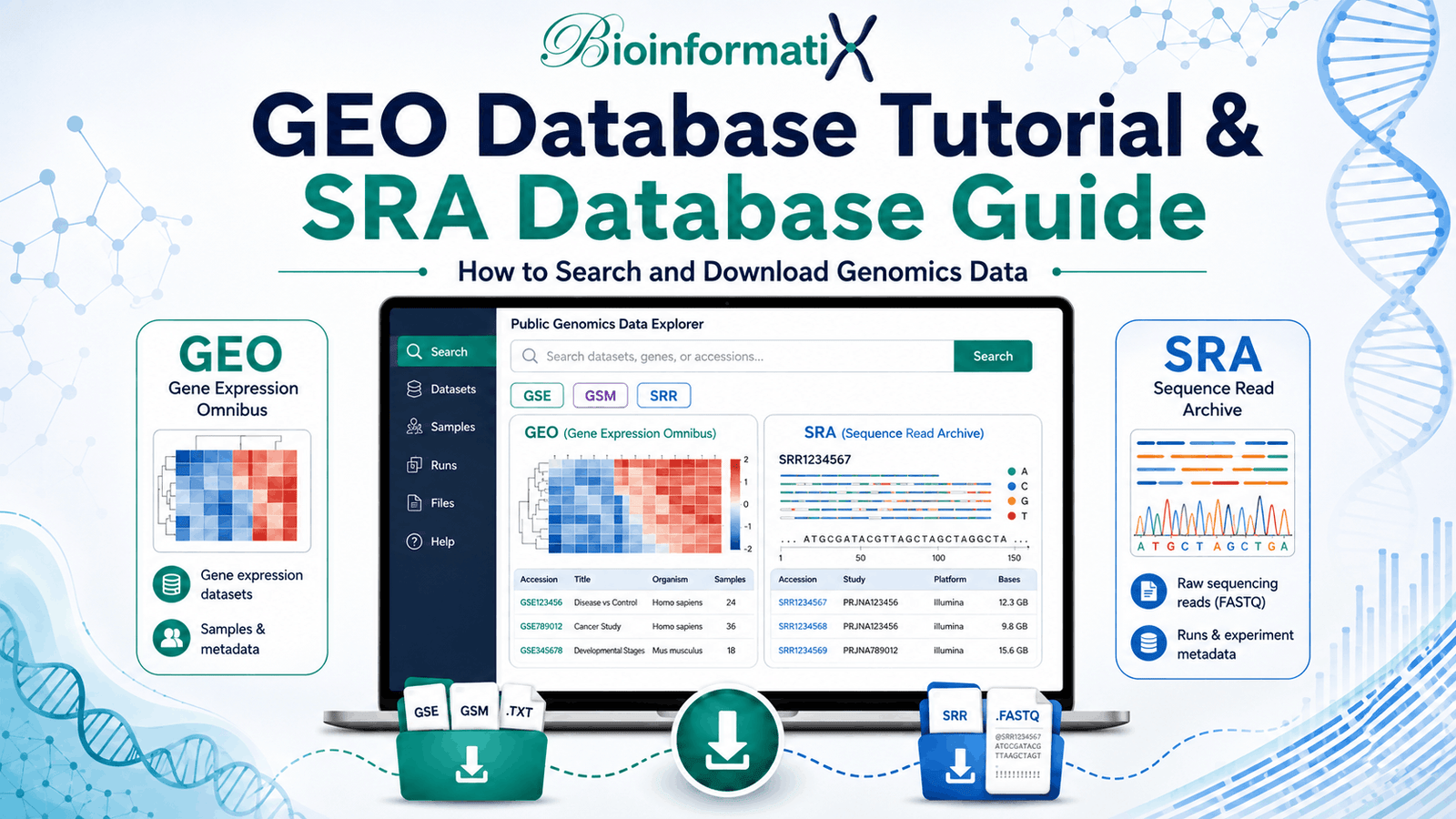
This GEO Database Tutorial and SRA Database Guide will show you how to find publicly available gene-expression and sequencing datasets, understand GEO and SRA accession numbers, inspect experimental metadata, download processed expression data and retrieve raw FASTQ sequencing files for bioinformatics analysis.
Public datasets have become an essential resource in modern bioinformatics. Instead of generating every dataset from scratch, researchers can reuse publicly available experiments to study gene expression, identify biomarkers, validate hypotheses, compare biological conditions and develop new computational methods.
Two of the most important NCBI resources for this purpose are the Gene Expression Omnibus (GEO) and the Sequence Read Archive (SRA).
The official NCBI GEO repository focuses on functional genomics studies and provides experimental metadata and processed datasets, while the official NCBI Sequence Read Archive is the NIH archive for high-throughput sequencing data. GEO supports array- and sequence-based functional genomics studies, whereas SRA stores raw sequencing data and associated sequencing information. (NCBI)
If you are new to NCBI resources, first read our What Is NCBI? A Complete Beginner’s Guide.
GEO Database Tutorial: What Is the GEO Database?
The Gene Expression Omnibus, usually abbreviated as GEO, is an NCBI repository for high-throughput functional genomics data.
Researchers use GEO to share and reuse experiments involving technologies such as:
- Microarrays
- Bulk RNA-Seq
- Single-cell RNA-Seq
- miRNA sequencing
- ChIP-Seq
- ATAC-Seq
- Methylation studies
- Hi-C
- Other gene-regulation and functional genomics experiments
For high-throughput sequencing studies submitted through GEO, the experimental metadata and processed data are organized in GEO while raw sequence files are archived through SRA. (NCBI)
This is why understanding both GEO and SRA is so important.
Why Is GEO Important in Bioinformatics?
GEO allows researchers to reuse previously generated biological datasets.
Public GEO datasets can be used for:
- Differential gene-expression analysis
- Biomarker discovery
- Cancer research
- Disease-versus-control comparisons
- Drug-response studies
- Transcriptomics
- Meta-analysis
- Machine learning
- Single-cell research
- Functional genomics
- Validation of published findings
Instead of generating a new experiment, researchers can search GEO for an appropriate existing dataset and perform a completely new analysis.
This approach is particularly useful for students and researchers learning bioinformatics because it provides access to real research datasets.
For practical microarray-based biomarker analysis, you can explore our Biomarker Discovery and Functional Analysis Using Microarray Data course. (bioinformatix.co)
Understanding GEO Accession Numbers
An important part of this GEO Database Tutorial is understanding the different accession prefixes.
GEO primarily organizes records into four major types:
| GEO accession | Meaning | Example format |
|---|---|---|
| GSE | Series / complete study | GSE123456 |
| GSM | Individual sample | GSM123456 |
| GPL | Experimental platform | GPL12345 |
| GDS | Curated GEO DataSet | GDS1234 |
NCBI defines GEO Series records as groups of related samples describing an overall study, Sample records as individual biological samples, Platform records as descriptions of the technology or array, and GDS records as curator-assembled datasets derived from suitable GEO submissions. (NCBI)
What Is a GSE Accession?
A GSE, or GEO Series, normally represents the entire experiment.
For example:
GSE123456
A GSE page may describe:
- Research question
- Experimental design
- Organism
- Disease or treatment
- Number of samples
- Technology
- Data-processing methods
- Publications
- Supplementary files
- Individual GSM samples
- Associated SRA records
When reading a published paper that uses GEO data, the GSE accession is usually the most useful starting point.
NCBI itself recommends linking to the Series object because it summarizes the experiment and connects the associated GEO records. (NCBI)
What Is a GSM Accession?
A GSM represents an individual biological sample.
For example:
GSM7654321
A GSM page may describe:
- Tissue
- Cell line
- Disease status
- Treatment
- Biological replicate
- RNA extraction
- Library preparation
- Sequencing protocol
- Processed measurements
One GSE study can therefore contain many GSM records.
For example:
GSE Study
│
├── GSM Control 1
├── GSM Control 2
├── GSM Control 3
├── GSM Disease 1
├── GSM Disease 2
└── GSM Disease 3
NCBI describes each GSM as a record of an individual sample and its experimental handling and measurements. (NCBI)
What Is a GPL Accession?
A GPL, or GEO Platform, describes the technology used to measure biological features.
For microarray studies, the platform may define:
- Probe identifiers
- Gene mappings
- Array design
- Manufacturer
- Platform annotation
For sequencing studies, platform information can describe the sequencing technology used.
A single platform may be referenced by many different GEO studies. (NCBI)
What Is a GDS Accession?
A GDS, or GEO DataSet, is different from a normal GSE record.
GDS records are generated through additional GEO curation from suitable Series submissions. They contain biologically and statistically comparable samples and support some of GEO’s advanced visualization and analysis functionality.
Not every GSE has a corresponding GDS record. (NCBI)
For most modern research, you will frequently work directly with GSE and GSM records.
GEO Database Tutorial: How to Search GEO
Suppose you want to find RNA-Seq data comparing breast cancer tissue with healthy tissue.
Open the official NCBI GEO database.
You could begin with:
breast cancer RNA-seqMore specific searches are usually better:
breast cancer RNA-seq Homo sapiensor:
breast cancer transcriptome treatmentYou can search using:
- Disease name
- Organism
- Gene
- Tissue
- Cell type
- Treatment
- Experimental method
- GEO accession
- Publication information
If you already know the accession number, simply search directly:
GSE123456NCBI GEO supports direct retrieval using GSE, GSM, GPL and GDS accession numbers. (NCBI)
How to Evaluate a GEO Study Before Downloading Data
Finding a study does not automatically mean it is suitable for your analysis.
Before downloading anything, inspect the GSE page carefully.
Check:
Organism
Make sure you have the correct species.
Experimental Design
Understand what biological question was investigated.
For example:
Disease vs Controlor:
Drug-treated vs UntreatedNumber of Samples
Determine how many biological replicates are present in each group.
Sample Metadata
Open the GSM records and verify:
- Tissue
- Disease status
- Treatment
- Age or sex where relevant
- Replicate information
- Cell type
- Experimental conditions
Sequencing Technology
For sequencing studies, identify:
- RNA-Seq
- scRNA-Seq
- ChIP-Seq
- ATAC-Seq
- miRNA-Seq
- Other technologies
Processed Data
Check whether count matrices or normalized expression matrices are already available.
Raw Data
Look for associated SRA accessions when you need the original sequencing reads.
Publication
Read the associated manuscript if available. It often contains crucial information about study design and preprocessing.
How to Download GEO Data
The type of data you download depends on the analysis you want to perform.
GEO can provide processed and supplementary files associated with a study. For sequence-based submissions, the raw sequencing data are generally linked to SRA. (NCBI)
Typical GEO files include:
- Raw count matrices
- Normalized expression matrices
- Microarray expression tables
- Supplementary TXT files
- CSV or TSV files
- Series Matrix files
- Cell-level matrices
- RDS files
- HDF5 files
- Matrix Market files
For single-cell studies, GEO currently accepts processed formats including matrix-market files, HDF5 archives and RDS objects, depending on the study. (NCBI)
Processed Data vs Raw Data
This distinction is extremely important.
Processed Data
Processed data have already undergone at least part of the analysis workflow.
Examples include:
Gene × Sample count matrix
TPM expression matrix
Normalized microarray expression
Single-cell count matrix
Processed data can be useful when you want to:
- Perform differential expression
- Explore expression patterns
- Build heatmaps
- Perform PCA
- Identify biomarkers
- Conduct machine learning
Raw Sequencing Data
Raw sequencing data usually represent reads generated by the sequencing experiment.
The common format is:
FASTQ
For sequencing studies connected to GEO, these raw files are archived through the Sequence Read Archive. (NCBI)
GEO Database Tutorial: Using GEO2R
One of the easiest ways for beginners to perform differential expression analysis on appropriate GEO studies is GEO2R.
The official NCBI GEO2R interface allows users to define sample groups and compare them to identify differentially expressed genes. (NCBI)
A basic workflow is:
- Enter the GSE accession.
- Define experimental groups.
- Assign GSM samples to those groups.
- Run the comparison.
- Examine differentially expressed genes.
- Inspect volcano and other diagnostic plots.
- Download the results.
For supported RNA-Seq studies with NCBI-generated raw count matrices, GEO2R uses DESeq2. For microarray datasets, GEO2R uses GEOquery and limma. (NCBI)
Should GEO2R Replace a Full RNA-Seq Pipeline?
No.
GEO2R is useful for:
- Preliminary exploration
- Beginner training
- Rapid comparisons
- Reanalysis of suitable processed datasets
But if you want to start from the original sequencing reads and control the full workflow, you need the raw data from SRA.
A complete RNA-Seq analysis may include:
FASTQ
↓
Quality Control
↓
Read Trimming
↓
Genome Alignment
↓
Gene Quantification
↓
Count Matrix
↓
Differential Expression
↓
Functional Analysis
You can learn this workflow in our Hands-On RNA-Seq Analysis: From FASTQ to Differential Expression course. The current BioInformatix course covers data retrieval, preprocessing, alignment, quantification and differential-expression analysis. (bioinformatix.co)
SRA Database Guide: What Is the Sequence Read Archive?
The second half of this article is our SRA Database Guide.
The Sequence Read Archive (SRA) is NIH’s public repository for high-throughput sequencing data and is part of the International Nucleotide Sequence Database Collaboration alongside the European and Japanese nucleotide archives. SRA stores sequencing data and associated sequencing information to support reproducibility and reanalysis. (NCBI)
Researchers use SRA to obtain raw sequencing data from experiments such as:
- RNA-Seq
- Whole-genome sequencing
- Whole-exome sequencing
- ChIP-Seq
- ATAC-Seq
- Single-cell sequencing
- Metagenomics
- Amplicon sequencing
- Long-read sequencing
Why Are GEO and SRA Connected?
Understanding this connection is one of the most important concepts in this combined GEO Database Tutorial and SRA Database Guide.
For a sequencing-based functional genomics study:
GEO
│
├── Study description
├── Samples
├── Experimental design
├── Processed data
└── Links to raw sequencing data
                │
                ▼
               SRA
                │
                ├── Sequencing experiment
                └── Raw sequencing runs
NCBI states that when qualifying high-throughput sequencing data are submitted through GEO, GEO processes the study metadata and processed data and sends the raw sequence files to SRA. (NCBI)
This means a practical workflow is usually:
Find the study in GEO → understand the biology → identify the associated SRA runs → download FASTQ files from SRA.
Understanding SRA Accession Numbers
SRA uses several accession types.
| SRA accession | Meaning |
|---|---|
| SRP | Study |
| SRS | Sample |
| SRX | Experiment |
| SRR | Run |
NCBI’s SRA metadata model organizes records into Study, Sample, Experiment and Run objects. The corresponding NCBI prefixes are SRP, SRS, SRX and SRR. (NCBI)
What Is an SRP Accession?
An SRP identifies an SRA study.
Example:
SRP123456
This is conceptually similar to the overall project level.
What Is an SRS Accession?
An SRS identifies a biological sample.
Example:
SRS1234567
It represents the biological material used for sequencing.
What Is an SRX Accession?
An SRX represents a sequencing experiment.
NCBI describes the Experiment object as the main publishable unit that captures information about the sequencing library, strategy, layout and instrument combination. (NCBI)
Example:
SRX1234567
What Is an SRR Accession?
An SRR, or Run accession, is usually the most important identifier when downloading raw sequencing reads.
Example:
SRR12345678
One experiment can have one or multiple sequencing runs.
The SRA Run links the actual sequence files with the corresponding experiment. (NCBI)
For most command-line FASTQ downloads, you will ultimately work with SRR accessions.
SRA Database Guide: How to Search SRA
You can search the official NCBI SRA using:
- SRR accession
- SRX accession
- SRP accession
- Organism
- Disease
- Sequencing strategy
- Publication
- BioProject
- BioSample
- Keywords
For example:
breast cancer RNA-Seq Homo sapiens
or:
single cell RNA sequencing lung cancer
If you already know a run accession:
SRR12345678
searching the accession directly is usually fastest.
NCBI also supports advanced field-based searching and accession searches through SRA Entrez. (NCBI)
Using the SRA Run Selector
When a study contains many sequencing runs, the SRA Run Selector is extremely useful.
It allows you to review and filter metadata such as:
- Run accession
- Sample
- Library strategy
- Library layout
- Sequencing platform
- Organism
- BioProject
- BioSample
NCBI allows SRA search results to be sent to Run Selector, where the metadata can also be downloaded as a tabular file. (NCBI)
This is particularly useful for studies with dozens or hundreds of samples.
How to Identify Paired-End vs Single-End Data
Before downloading sequencing reads, determine the library layout.
Single-End
Each DNA fragment is sequenced from one end.
A typical output may contain:
SRR12345678.fastq
Paired-End
Each fragment is sequenced from both ends.
Typical FASTQ files are:
SRR12345678_1.fastq
SRR12345678_2.fastq
The first file normally represents one read direction and the second the paired mate.
SRA metadata explicitly records experiment and library information, including layout. (NCBI)
SRA Database Guide: How to Download FASTQ Files
For serious bioinformatics work, one of the standard ways to obtain SRA sequencing data is the official NCBI SRA Toolkit.
NCBI’s SRA Toolkit documentation describes a workflow using:
prefetch
followed by:
fasterq-dump
for retrieving an SRA run and converting it to FASTQ. (GitHub)
Step 1: Download the SRA Run
For example:
prefetch SRR12345678
prefetch retrieves the data required for the selected run.
NCBI’s current documentation recommends the combination of prefetch and fasterq-dump for efficient FASTQ extraction. (GitHub)
Step 2: Convert the SRA Run to FASTQ
For paired-end data:
fasterq-dump SRR12345678 --split-files
This can produce:
SRR12345678_1.fastq
SRR12345678_2.fastq
The exact output depends on how the original sequencing data were structured. NCBI documents --split-files as one supported fasterq-dump mode. (GitHub)
Step 3: Compress FASTQ Files
FASTQ files can become extremely large.
After conversion, researchers commonly compress them:
gzip SRR12345678_1.fastq
gzip SRR12345678_2.fastq
This produces:
SRR12345678_1.fastq.gz
SRR12345678_2.fastq.gz
NCBI notes that fasterq-dump does not itself provide the older direct gzip option, so compression is performed separately. (GitHub)
Check Disk Space Before Downloading SRA Data
Raw sequencing datasets can be very large.
The SRA Toolkit conversion process may require substantially more temporary disk space than the size of the archived run itself. NCBI therefore recommends estimating storage requirements before converting large runs with fasterq-dump. (GitHub)
This is particularly important when downloading:
- Whole genomes
- Deep RNA-Seq datasets
- Single-cell datasets
- Metagenomic data
- Large multi-sample projects
Do not begin downloading hundreds of SRR files without first checking available storage.
GEO Processed Data vs SRA FASTQ: Which Should You Use?
This depends on your research objective.
| Goal | Recommended source |
|---|---|
| Quickly explore gene expression | GEO processed data |
| Differential expression from count matrix | GEO |
| Microarray reanalysis | GEO |
| Biomarker discovery | GEO |
| Full RNA-Seq pipeline | SRA |
| Re-run quality control | SRA |
| Change aligner/reference genome | SRA |
| Generate your own count matrix | SRA |
| Single-cell processed analysis | GEO processed files |
| Reprocess scRNA-Seq from reads | SRA |
A good rule is:
Use GEO when processed data are sufficient for your question. Use SRA when you need to reprocess the sequencing experiment from raw reads.
Example GEO to SRA RNA-Seq Workflow
Suppose you want to study gene-expression differences between cancer and healthy tissue.
Step 1: Search GEO
Search:
disease name RNA-seq Homo sapiens
Step 2: Select a Suitable GSE
Check:
- Study design
- Number of replicates
- Tissue
- Experimental groups
- Sequencing technology
Step 3: Examine GSM Samples
Identify which samples belong to:
Control
and:
Disease
Step 4: Decide Whether Processed Data Are Enough
If a raw count matrix is available, you may proceed directly to differential expression.
If you want complete reanalysis, continue to SRA.
Step 5: Identify SRA Runs
Follow the SRA links associated with the GEO samples.
Step 6: Obtain SRR Accessions
Use Run Selector to create a run table.
Step 7: Download FASTQ
prefetch SRR12345678
fasterq-dump SRR12345678 --split-files
Step 8: Perform Quality Control
Inspect FASTQ quality before analysis.
Step 9: Align Reads
Use an appropriate aligner against the correct reference genome.
Step 10: Quantify Expression
Generate a gene-level count matrix.
Step 11: Differential Expression
Analyze the count matrix using software such as DESeq2 or edgeR.
This is the kind of complete workflow taught in our Hands-On RNA-Seq Analysis course. (bioinformatix.co)
Using GEO and SRA for Single-Cell RNA-Seq
GEO and SRA are also extremely important for single-cell studies.
A single-cell GEO record may provide processed files such as:
matrix.mtx.gz
features.tsv.gz
barcodes.tsv.gz
or:
.h5
.rds
These processed objects can often be loaded directly into software such as Seurat or Scanpy.
For qualifying GEO single-cell submissions, raw sequencing reads are also archived through SRA. NCBI’s current GEO submission guidance accepts several cell-level processed formats and requires associated raw sequencing data for sequencing-based submissions. (NCBI)
For practical training, see our Learn Single-Cell RNA-Seq Data Analysis Using R and Python course, which currently includes working with real GEO datasets in its curriculum. (bioinformatix.co)
Using GEO for Microarray Analysis
GEO remains especially valuable for microarray studies because it contains a large archive of historical gene-expression experiments.
A typical microarray analysis workflow may include:
Find GSE
↓
Identify GSM groups
↓
Download expression data
↓
Normalize if required
↓
Differential expression analysis
↓
Identify DEGs
↓
Functional enrichment
↓
Biomarker discovery
GEO2R uses the limma framework for suitable microarray Series. (NCBI)
If your goal is disease biomarker discovery, our Biomarker Discovery and Functional Analysis Using Microarray Data course provides an applied workflow using public gene-expression datasets. (bioinformatix.co)
Using GEO and SRA with R
R is widely used for processed expression data.
For example, researchers may use:
- GEOquery
- DESeq2
- edgeR
- limma
- Seurat
- ggplot2
A typical workflow might be:
GEO
↓
Expression matrix
↓
R
↓
Data cleaning
↓
Differential expression
↓
Visualization
If you are new to R, read our R Programming for Bioinformatics: A Complete Beginner’s Guide.
Using GEO and SRA with Python
Python is particularly useful when:
- Automating dataset retrieval
- Processing metadata
- Handling hundreds of accessions
- Building reproducible pipelines
- Analyzing single-cell data using Scanpy
- Integrating GEO/SRA data into larger workflows
Read our Python for Bioinformatics: A Complete Beginner’s Guide.
Using SRA with Linux
Linux becomes especially important when processing raw sequencing files.
Typical workflows involve:
SRA download
↓
FASTQ
↓
Quality control
↓
Trimming
↓
Alignment
↓
BAM
↓
Quantification
If command-line work is new to you, start with our free Linux Command Line Essentials for Bioinformatics.
You can also read our Linux for Bioinformatics: Complete Beginner’s Guide.
Common GEO Database Mistakes
Before completing this GEO Database Tutorial, avoid several common problems.
Choosing a Study Based Only on the Title
Always inspect the experimental design and GSM metadata.
Mixing Biological Groups
Do not assume sample groups from sample names alone.
Ignoring Batch Effects
Samples may have been processed at different times or under different conditions.
Ignoring the Platform
This is particularly important for microarray experiments.
Confusing Normalized and Raw Counts
DESeq2 and similar count-based approaches require appropriate count input rather than arbitrary normalized expression values.
Ignoring the Original Publication
The paper may explain exclusions, sample preparation and experimental details not obvious from the GEO page.
Assuming Every GEO Study Has Raw FASTQ Files
This depends on the study technology and submission type.
Common SRA Database Mistakes
This SRA Database Guide also has several important warnings.
Downloading SRP Instead of SRR
For direct raw-read retrieval, you normally need the individual run accessions.
Ignoring Paired-End Layout
Verify whether the experiment is single-end or paired-end before starting analysis.
Ignoring Library Strategy
Do not accidentally analyze ChIP-Seq data using an RNA-Seq workflow.
Ignoring the Reference Genome
Check the species and appropriate assembly before alignment.
Ignoring Metadata
NCBI notes that SRA run sequence files themselves do not contain all associated sample metadata, so save the RunInfo or Run Selector metadata alongside your sequence files. (NCBI)
Downloading Everything
Large projects may contain terabytes of data. Select only the runs relevant to your question.
Forgetting Replicates
Ensure biological groups contain adequate replicates before performing statistical comparisons.
Running Out of Storage
FASTQ conversion can require substantial working and temporary disk space. (GitHub)
Learn GEO, SRA and Public Dataset Analysis with BioInformatix
If you are new to biological databases, start with our free:
Introduction to Biological Databases for Bioinformatics
After understanding databases, learn how to process biological datasets using:
Learn Bioinformatics Data Analysis: Master Python, Linux and R Scripting
This course includes database retrieval and practical RNA-Seq data-analysis skills. (bioinformatix.co)
For complete RNA-Seq analysis:
Hands-On RNA-Seq Analysis: From FASTQ to Differential Expression
For single-cell datasets:
Learn Single-Cell RNA-Seq Data Analysis Using R and Python
For microarray-based public dataset analysis:
Biomarker Discovery and Functional Analysis Using Microarray Data
And for broader project-based training:
Learn Bioinformatics: Beginner to Master Through Real-World Projects
The current flagship course includes public database retrieval, microarray analysis and RNA-Seq data retrieval as part of its project-based curriculum. (bioinformatix.co)
Recommended Learning Path
A beginner can follow this sequence:
- Read What Is NCBI? A Complete Beginner’s Guide.
- Learn biological database fundamentals.
- Practice searching GEO using GSE accessions.
- Learn the difference between GSE, GSM, GPL and GDS.
- Download a processed GEO expression matrix.
- Perform a simple analysis using GEO2R.
- Identify the SRA records associated with a sequencing-based GEO study.
- Learn SRP, SRS, SRX and SRR accession types.
- Download an SRA run using the SRA Toolkit.
- Convert the run into FASTQ files.
- Perform complete RNA-Seq or single-cell analysis.
- Automate public-data workflows using Linux, Python and R.
Frequently Asked Questions
What is GEO?
GEO is NCBI’s public repository for functional genomics studies, including array- and sequence-based experiments. (NCBI)
What is SRA?
SRA is NIH’s archive for high-throughput sequencing data. (NCBI)
What is the difference between GEO and SRA?
GEO focuses on functional genomics studies, sample metadata and processed experimental data, while SRA stores high-throughput sequencing reads and related sequencing information. For sequencing-based GEO submissions, the two resources are often directly connected. (NCBI)
What does GSE mean?
GSE is the accession prefix for a GEO Series, which represents a group of related samples comprising a study. (NCBI)
What does GSM mean?
GSM identifies an individual GEO sample. (NCBI)
What does SRR mean?
SRR identifies an individual sequencing Run within SRA. (NCBI)
Can I download FASTQ files from GEO?
For high-throughput sequencing studies, raw sequencing data are generally archived through SRA and linked from the GEO record. (NCBI)
Can I analyze GEO data without programming?
Yes. GEO2R allows suitable GEO Series to be compared interactively through a web interface. (NCBI)
Does GEO2R support RNA-Seq?
For supported RNA-Seq Series with NCBI-generated count data, GEO2R uses DESeq2 for differential-expression analysis. (NCBI)
Can I download SRA data without programming?
NCBI provides browser-based options for limited downloads and Run Selector-based workflows, but command-line tools are generally more practical for large datasets. (NCBI)
What program should I use to download SRA FASTQ files?
The official SRA Toolkit includes prefetch and fasterq-dump, which NCBI documents for retrieving and extracting FASTQ data. (GitHub)
Should I use GEO processed data or SRA raw reads?
Use GEO processed data when the existing processed matrix is sufficient for your research question. Use SRA when you need to rebuild the analysis from raw sequencing reads.
Final Thoughts
This GEO Database Tutorial and SRA Database Guide provides a complete foundation for finding, understanding and downloading public genomics and transcriptomics datasets.
The most important relationship to remember is:
GEO
Experimental design + metadata + processed data
                    ↓
                   SRA
             Raw sequencing reads
Start with GEO to understand the biological experiment. Examine the GSE record, individual GSM samples, experimental groups, study design and processed files.
If processed expression data are sufficient, you can often begin analysis directly from GEO.
If you want to rebuild the analysis from the beginning, identify the corresponding SRA records, obtain the SRR run accessions and download the raw sequencing reads.
By combining GEO and SRA with Linux, Python and R, you can turn publicly available datasets into complete reproducible bioinformatics projects.
These skills are particularly valuable for RNA-Seq, single-cell transcriptomics, biomarker discovery, functional genomics, machine learning and modern computational biology.